Jatayu Video Prompt: Copy-Paste Prompts for the Ramayana Edit

Copy-paste Jatayu video prompts for the viral Ramayana edit: a reference-clip version, a photo-only version with second-by-second timing, a vertical Reels cut, and fixes for faces that stop looking like you.
In this article
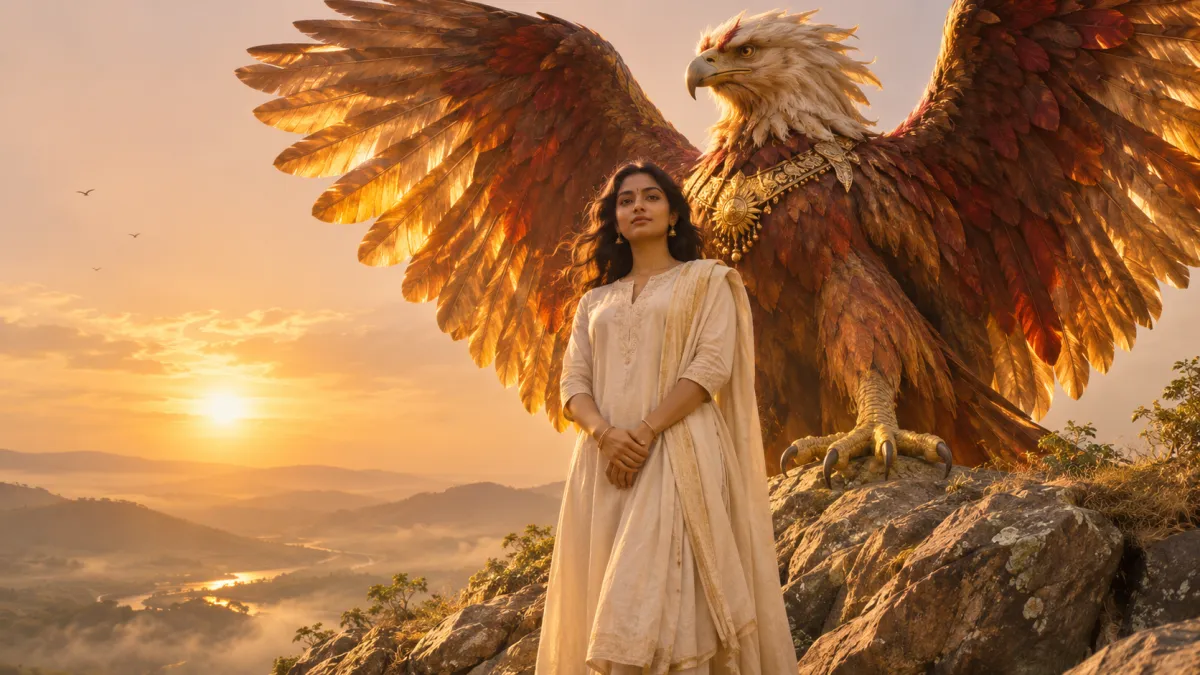
You stand still in warm evening light. Behind you, a giant red-and-gold bird rises out of the frame, beats its wings once and holds them open across the sky. That is the Jatayu edit, the Ramayana-inspired AI video that filled Indian Reels feeds in November 2026. Most "Jatayu video prompt" pages give you one block of text to paste into Google Flow. Then the face comes out looking like a stranger, the bird flaps like a pigeon, or the prompt still says "boy" when you are not one.
This guide gives you three prompts you can actually adapt: one for when you have a reference clip, one that needs only your photo, and one framed for vertical Reels. Each comes with an explanation of what every part does, so you can fix a bad result instead of re-rolling it. The workflow follows Google's own Flow help page on creating videos and Vogoo's Reference to Video and Image to Video tools as checked on 2026-11-17. The prompts are written for this guide; the images below are AI illustrations of the look, not outputs of these exact prompts.
TL;DR
A good Jatayu video prompt has four parts: lock your face and pose, describe Jatayu as a mythic eagle-vulture (not "a big bird"), give one slow wing beat with second-by-second timing, and end with a short "avoid" list. Use the reference-clip prompt if you have a clip you are allowed to use. Otherwise use the photo-only prompt, which needs nothing but one clear, front-facing photo. Generate at 16:9, or use the vertical prompt if the video is only for Reels, and add the music in your editing app afterwards.
Account and cost
- Account: generating on Vogoo needs a free account, and downloads from signed-in accounts carry no watermark.
- Cost: new accounts get 20 free credits, enough for one image but not a video. Without a paid plan a video costs at least 120 credits; the Generate button shows the exact price before you start.
- If it fails: credits for a failed generation come back automatically, except for prompts blocked by content safety checks and rare jobs that time out after the model has started.
- Your photos: Vogoo stores the photo you upload, your prompt and the result to run the job and keep your history, and you can ask for a copy or deletion (privacy policy).
What the Jatayu edit looks like
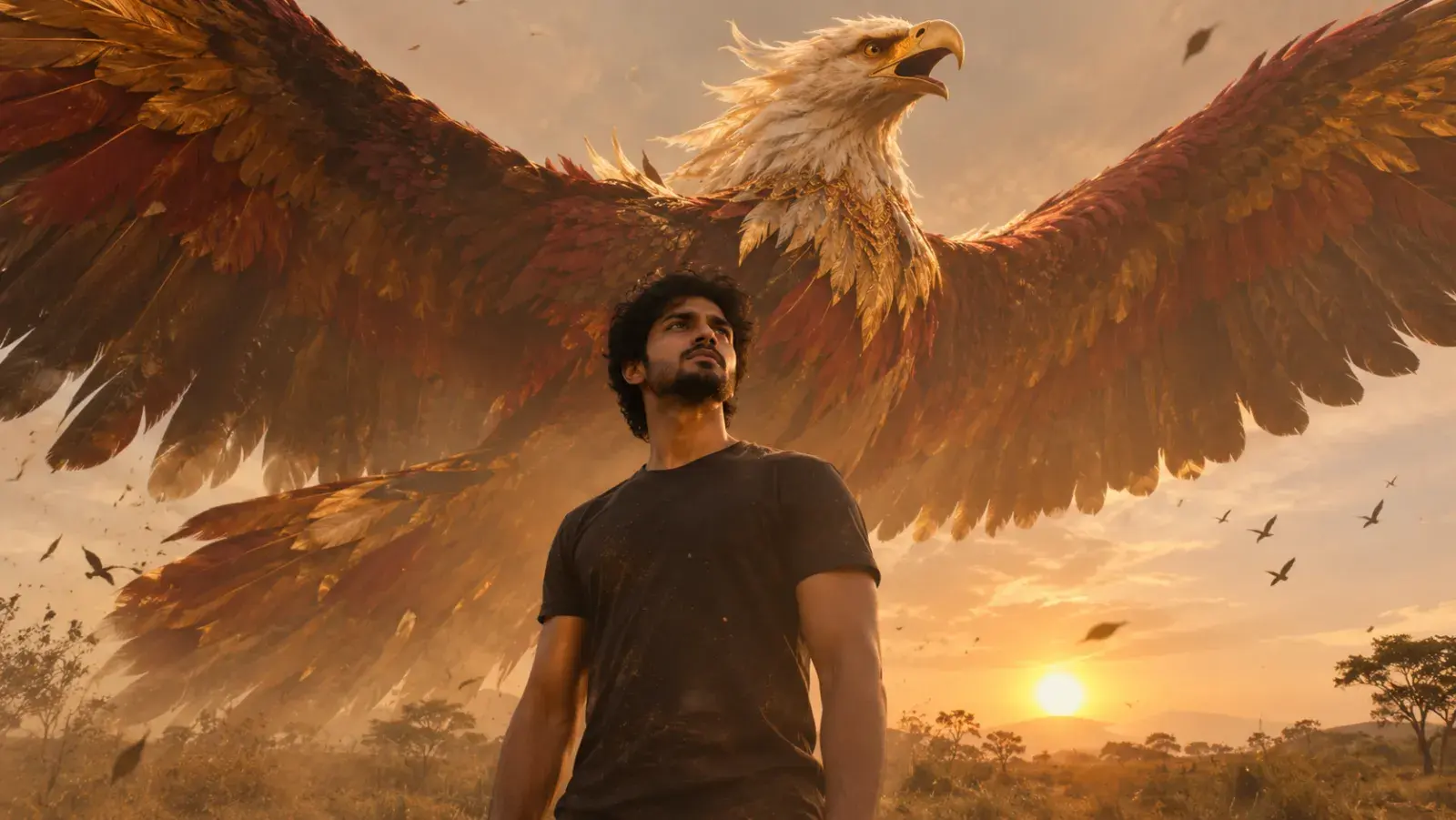
The shot is almost always the same:
- The person does not move. They face the camera, often from a low angle, in a golden or sunset grade.
- Jatayu rises behind them. In the Ramayana, Jatayu is the old vulture king who fought Ravana to stop Sita's abduction and lost his wings in the fight (Wikipedia). The edit shows him whole and huge, with red-brown and gold feathers.
- One wing beat, then a hold. The bird rises, flaps once, slows to near slow motion and freezes with its wings fully open. A few small birds circle far away.
- Music is added later. The generated clip is silent or its sound is replaced in CapCut, Edits or VN.
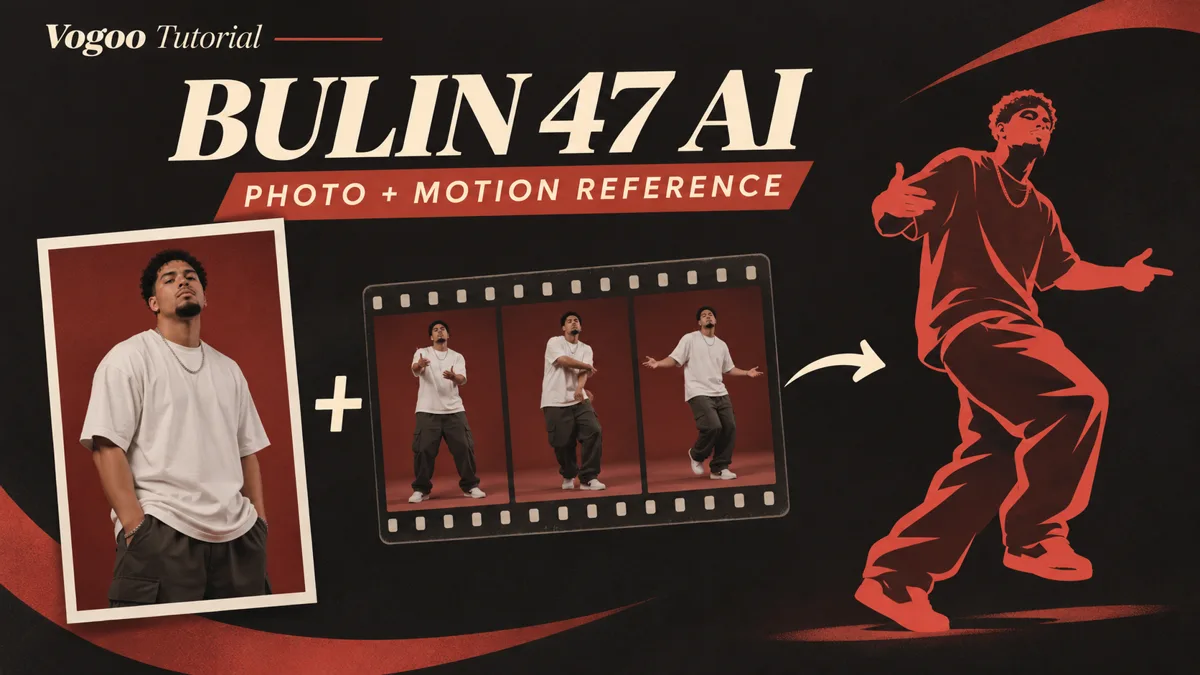
The pages that spread the trend used Google Flow's Ingredients mode, where you drop in a reference video and a photo and mention them in the prompt. Vogoo's Reference to Video works the same way: upload the files, then call them @image1 and @video1 in the prompt.
Before you write the prompt
Before you start
The face is the part people complain about most, and it is decided by the photo, not the prompt. Use a sharp, well-lit, front-facing photo with no sunglasses, cap, mask or heavy beauty filter, and with your head and shoulders clearly visible. If the person in the photo is not you, ask them first.
Two other things to settle before you write anything:
- Do you have a reference clip? Many trend pages link to a ready-made Jatayu clip on a shared drive. If you did not make it and do not know who did, skip it and use the photo-only prompt below. You get the same shot without reposting someone else's work.
- Where will you post? The original edits are 16:9. If the clip is only for Reels or Shorts, generate 9:16 directly so you do not crop off the wings later.
Jatayu video prompt 1: with a reference clip
Use this when you have a reference video (your own, or one you are allowed to use) plus your photo. Upload the clip with the sound muted, because audio in a reference clip can pull the result off course. Then paste:
Use @video1 as the strict reference for camera angle, timing, framing and the path of the giant bird. Replace the person in @video1 with the person in @image1: keep their face, hairstyle, skin tone, body shape and clothing exactly as in @image1, and keep them standing still facing the camera. Behind them, Jatayu, a colossal mythic eagle-vulture with burnished red-brown and gold feathers, a pale crest and wide fan-shaped wings, rises slowly from below the frame, gives one powerful wing beat, then holds with wings fully spread. A few small birds circle in the distance. Warm golden-hour light, low-angle camera, soft haze, light film grain, 16:9. Avoid: changing the face, face morphing, extra people, extra limbs, repeated flapping, the bird looking like an ordinary hawk or pigeon, text, watermark.
What each part is doing:
- "strict reference for camera angle, timing, framing and the path of the giant bird" tells the model which parts of
@video1to copy. Without it, models often copy the original person too. - "Replace the person… keep their face, hairstyle, skin tone…" lists exactly what must come from your photo. The more of these you name, the less the face drifts.
- The Jatayu description keeps the bird mythic. "Eagle-vulture", "burnished red-brown and gold" and "pale crest" stop it turning into a generic hawk.
- "Avoid:" at the end catches the failures people report most often. Keep the list short; a long list of negatives can confuse the model as much as it helps.
On Vogoo, run this in Reference to Video with Seedance 2.5, which accepts image and video references and understands the @image1 / @video1 tags. Our Seedance 2.5 prompt guide covers the reference syntax in more detail.
Try Reference to Video on Vogoo
🎬 Photo + reference clip • 🦅 @image1 / @video1 tagsJatayu video prompt 2: photo only, no reference clip
This version needs nothing but your photo. Because there is no clip for the model to copy, the prompt has to carry the timing itself, second by second. Open Image to Video, upload the photo, set the length to 6 seconds and 16:9, and paste:
Animate this photo into a 6-second cinematic shot. Camera locked, low angle. The person stays still and keeps the same face, expression, pose, clothes and background as in the photo; only their hair and clothing move slightly in the wind. 0-1s: calm, warm golden backlight, soft haze. 1-3s: behind the person, Jatayu, a colossal mythic eagle-vulture with burnished red-brown and gold feathers and a pale crest, rises from below the frame and makes a single slow, powerful wing beat that sends dust and leaves drifting. 3-5s: the motion slows to near slow motion as the wings open to their full span, sunlight glowing through the feathers. 5-6s: hold, wings fully spread above the person, a few small birds circling far away. Warm golden grade, light film grain. Avoid: face changes, extra people, the person moving or turning, repeated flapping, distorted wings, text, watermark.
Key insight
Write "a single wing beat" and give it its own time slot. If the prompt just says the bird "flaps its wings", most models loop the flap for the whole clip, and that is what makes the shot look cheap. The trend works because of one heavy beat followed by stillness.
If your subject is not a man, you do not need to change anything: the prompt says "the person". Trend prompts that say "the boy" or "the man" tend to pull the result toward that subject, so rewrite any copied prompt the same way.
Jatayu video prompt 3: vertical cut for Reels and Shorts
The 16:9 originals lose the wing tips when you crop them for a phone. If you only need a vertical video, generate it vertically and move the bird above the person instead of beside them:
Vertical 9:16, 6 seconds. The person from the photo stands in the lower half of the frame, framed from the knees up, still and facing the camera, with the same face, clothes and background. Behind and above them, Jatayu, a colossal mythic eagle-vulture with copper and gold feathers, rises from behind their shoulders, beats its wings once, then holds with wings spread across the top of the frame. Golden backlight, soft haze, gentle slow motion in the last two seconds. Avoid: face changes, cropping off the wings, extra people, repeated flapping, text.
The two changes that matter are "framed from the knees up", which leaves room above the head, and "wings spread across the top of the frame", which tells the model where the wings should end up in a tall frame.
A quick sheet for better Jatayu prompts
Use this table to write your own version or fix one you copied. Each row is one part of the prompt, with words that work and the problem they prevent.
| Prompt part | What to write | What it prevents |
|---|---|---|
| Subject lock | "keep the same face, hairstyle, clothes and pose as in the photo" | Face swap, outfit changes |
| Stillness | "the person stays still, only hair and clothes move in the wind" | Person walking or turning away |
| Jatayu design | "colossal mythic eagle-vulture, red-brown and gold feathers, pale crest" | Generic hawk, pigeon or dragon |
| Motion | "rises from below the frame, a single slow wing beat, then holds" | Endless flapping |
| Timing | "0-1s… 1-3s… 3-5s… 5-6s…" | Rushed or random pacing |
| Camera | "camera locked, low angle" | Shaky or drifting framing |
| Light | "warm golden-hour backlight, soft haze, light film grain" | Flat daylight look |
| Avoid list | 4-6 items: face changes, extra people, repeated flapping, text | The most common failures |
Make your Jatayu shot from one photo
Upload a clear, front-facing photo, paste the photo-only prompt, and generate a 6-second clip in 16:9 or 9:16. No reference video needed.
Try Image to Video Free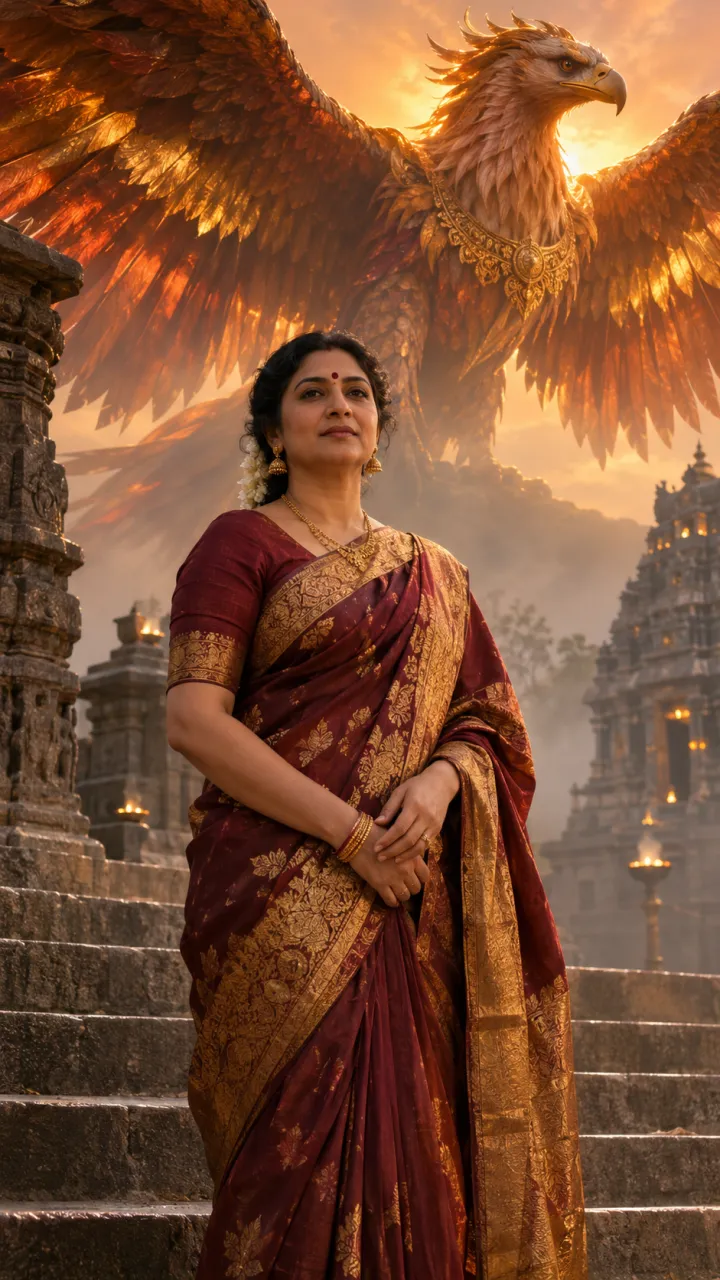
What to check and how to fix it
Watch the result three times: once for the face, once for the wings and once for the last second. Most problems have a prompt fix or a photo fix.
| What you see | Likely cause | Fix |
|---|---|---|
| Face does not look like you | Soft, side-on or filtered photo | Use a sharp, front-facing photo; add "keep the same face as in the photo" at the start |
| The bird flaps over and over | "Flaps its wings" with no timing | Write "a single wing beat" and give it a time slot |
| Bird looks like a normal hawk | Description too short | Add "mythic eagle-vulture, red-brown and gold feathers, pale crest" |
| Person turns or walks | No stillness instruction | Add "the person stays still facing the camera" and "camera locked" |
| Original person from the clip appears | Prompt does not say what to copy | Write "use @video1 only for camera, timing and the bird's path" |
| Wings cut off on Reels | 16:9 clip cropped to 9:16 | Generate with the vertical prompt instead |
| Odd motion from a reference clip | Clip still has sound | Mute the clip before uploading |
Conclusion
The Jatayu edit looks simple, but it depends on details: a still person, a mythic bird and one heavy wing beat. Lock the face, describe Jatayu properly, give the motion a timeline and keep the avoid list short. If you have a clip you are allowed to use, the reference prompt copies its timing. If you do not, the photo-only prompt gets you the same shot from a single picture. Then add the music in your editor and post.
Create Your Jatayu Video
📸 One photo • ⏱️ 6-second cinematic clip • 📱 16:9 or 9:16FAQs About the Jatayu Video Prompt
Can I make the Jatayu edit without a reference video?
Yes. Use the photo-only prompt in an image-to-video tool. It puts the timing (rise, single wing beat, slow motion, hold) in the prompt, so the model does not need a clip to copy.
Why doesn't the face in my Jatayu video look like me?
Usually the photo is the problem: it is blurry, taken from the side, filtered, or your face is partly covered. Use a sharp front-facing photo, start the prompt with "keep the same face as in the photo", and generate two or three versions to pick the closest one.
Do I have to use Google Flow for the Jatayu edit?
No. The trend spread through Google Flow's Ingredients mode, but any tool that accepts a reference image (and, for prompt 1, a reference video) works. On Vogoo, use Reference to Video for prompt 1 and Image to Video for prompts 2 and 3.
How do I add music to the Jatayu video?
Generate the clip without sound, then add the audio in CapCut, Edits, VN or inside Instagram when you post. Picking the sound inside Instagram also links your Reel to the trend's audio.
What aspect ratio should I use for Instagram Reels?
The original edits are 16:9, which shows with black bars or gets cropped on Reels. If the video is only for Reels or Shorts, generate in 9:16 with the vertical prompt so the wings stay in frame.
Can I make Jatayu fighting Ravana from a single photo?
The prompts here are built for the popular edit where Jatayu rises behind you. A full battle from one photo is possible in image to video if you describe both figures and their moves, but expect less control; a starting image that already shows both characters gives the model far more to work with.
How much does it cost to make this on Vogoo?
New accounts get 20 free credits, which cover one image but not a video. Without a paid plan a video costs at least 120 credits, and the exact price for your model, length and resolution is shown on the Generate button before you start. Failed generations refund automatically, except content-policy blocks.
Sources
- Wikipedia — Jatayu: who Jatayu is in the Ramayana, his fight with Ravana during Sita's abduction, and his family (Aruna, Sampati, Garuda).
- Google Flow Help — Create videos in Google Flow: the Ingredients workflow for reference images and videos,
@mentions, and aspect ratio settings used by the original trend. - ByteDance Seed — Introducing Seedance 2.5: official description of Seedance 2.5's image, video and audio references, the model behind prompt 1 on Vogoo.
The trend description is based on the prompt pages that spread it in mid-November 2026. Tool settings describe Vogoo's Reference to Video and Image to Video pages as checked on 2026-11-17. The prompts were written for this guide, and the images are AI illustrations of the look rather than outputs of these exact prompts. Vogoo is not affiliated with Google.