
 1500 * 500
Personal brand1500×500 output
Consultant banner, positioning first
For founders whose positioning line has to read at feed size.
Design tip
Headline centered in the safe band; bottom-left left empty for the avatar.
Free online twitter header maker & x header maker
Vogoo's AI Twitter Header Generator turns one prompt into original art at exactly 1500 × 500 pixels. It doubles as a free twitter header maker, twitter banner maker and x header maker, with the avatar dead zone already drawn on the canvas.
Finished examples
Every banner below came out of this workspace at 1500 × 500 — personal brand, startup launch, newsletter and gaming, prompts included.
1500 * 500For founders whose positioning line has to read at feed size.
Design tip
Headline centered in the safe band; bottom-left left empty for the avatar.
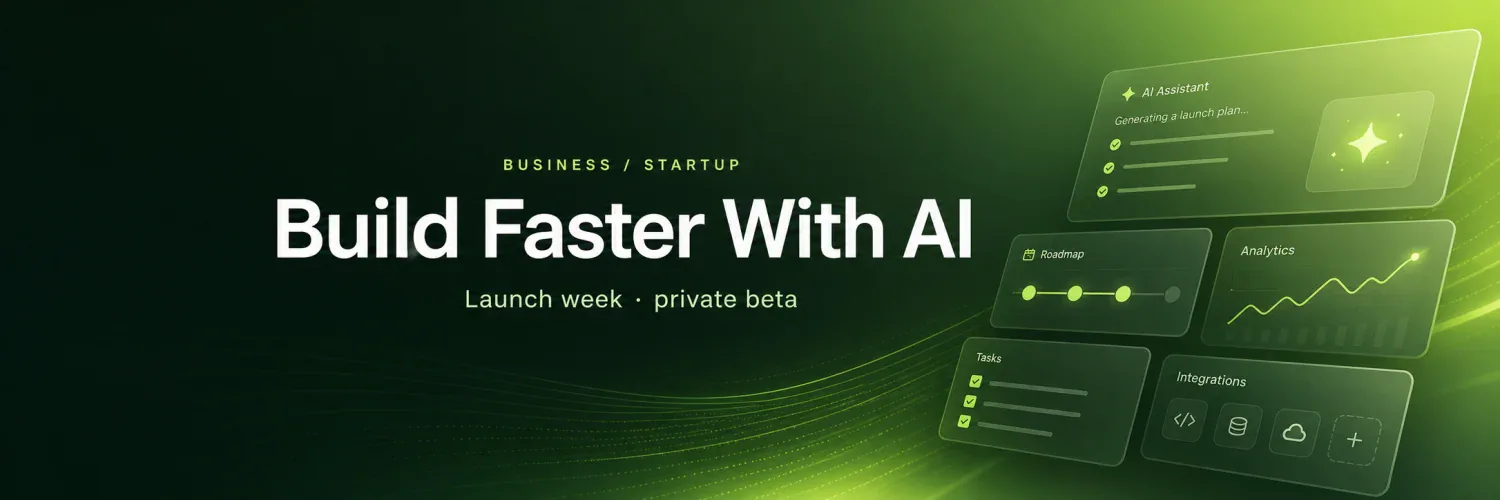
1500 * 500For teams announcing a product, a launch week or a waitlist.
Design tip
One promise, one product cue, one calm color field — nothing fights the handle.
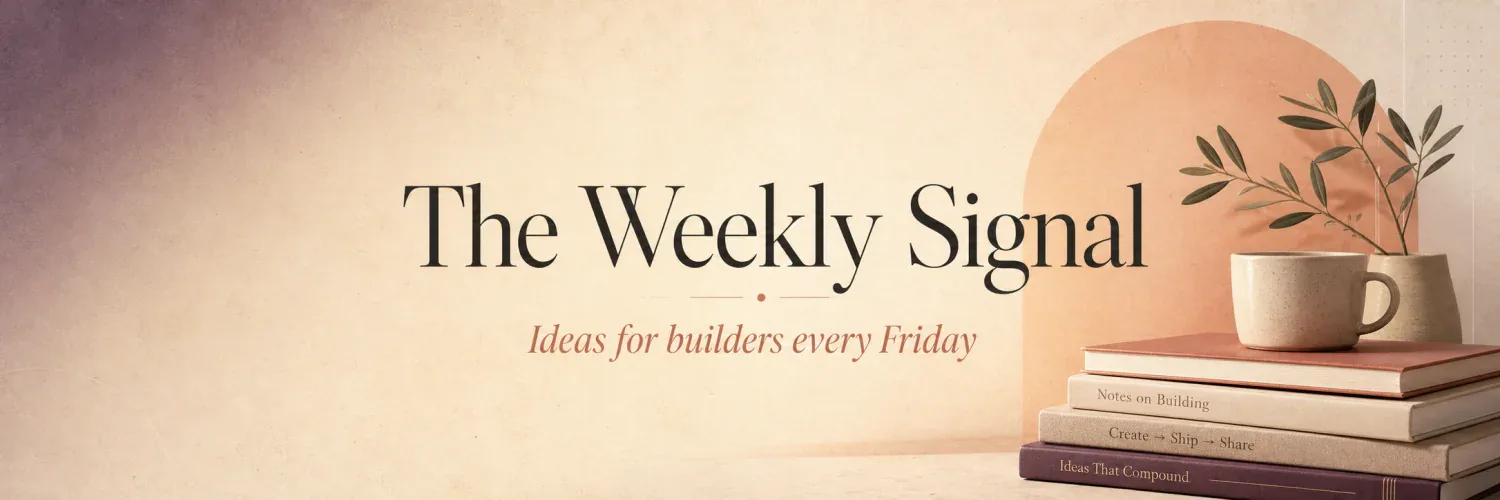
1500 * 500For writers who want a calmer look than a gradient banner.
Design tip
Publication name large, cadence copy small, both inside the safe band.
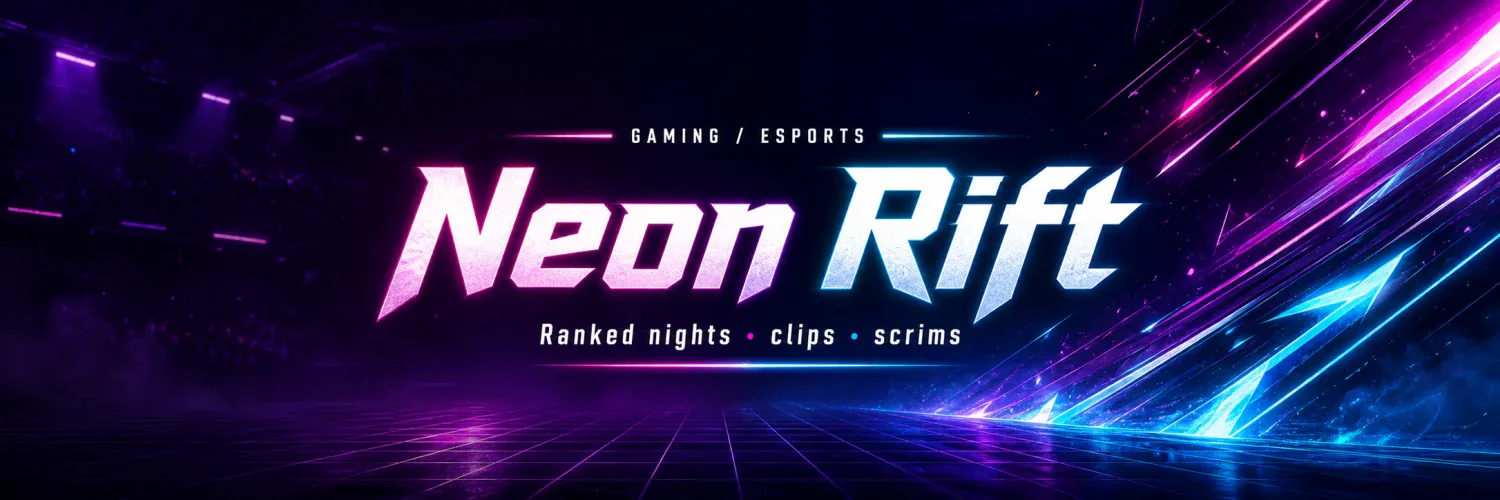
1500 * 500For streamers and esports squads posting clips and schedules.
Design tip
Strongest art pushed right, well clear of the avatar corner.
Definition
A twitter header is the 1500 × 500 pixel image across the top of an X profile. Vogoo renders one at exactly that size every time.
Twitter banner, X cover and twitter cover photo all name one slot, which is why a twitter header maker and a twitter banner maker are the same tool.
An AI Twitter Header Generator draws from your description instead of handing you a template to edit. Vogoo renders straight at 1500 × 500, so no resize step sits between the model and your download.
X crops anything that is not 3:1 and recompresses what you upload. Starting at the correct size removes most crop and blur complaints before they happen.
Size guide
Twitter header size is 1500 × 500 at 3:1, and that is where every render starts. Other platform sizes are listed below for when one visual has to travel.
A circular profile photo covers roughly 220 × 220 px in the bottom-left. Keep logos and text out.
Phones crop the edges differently, so key text belongs in the middle ~1500 × 360 px band.
Exports are still JPG or PNG. X rejects animated GIFs, so save a single frame instead.
| Platform | Recommended size | Aspect ratio |
|---|---|---|
| Twitter / X header | 1500 × 500 px | 3:1 |
| YouTube banner | 2560 × 1440 px | 16:9 |
| LinkedIn banner | 1584 × 396 px | 4:1 |
| Twitch banner | 1200 × 480 px | 5:2 |
| Shopify banner | 2048 × 1024 px | 2:1 |
Fit & resize
Twitter header resizer complaints share one cause: a square photo squeezed into a 3:1 slot has to lose something. Generating at the target size avoids that trade entirely.
| Source image | What resizing does | Do this instead |
|---|---|---|
| Square photo (1:1) | Two thirds of the height is cropped away | Generate a fresh 1500 × 500 header instead |
| 16:9 screenshot | Top and bottom trimmed, or stretched sideways | Redraw the same scene at 3:1 rather than trimming |
| Small image scaled up | Upscaling softens edges before X compresses it again | Render once at the full 1500 px width |
Vogoo does not expand an uploaded photo to fill the slot. The AI Twitter Header Generator starts every render at 1500 × 500, so no stretch step can go wrong.
Why choose Vogoo
Template editors hand you a layout and stop there. This one stays on the three things an X profile punishes: exact size, avatar overlap and clean export.
The workspace opens on the X preset at 3:1 — no stray dimensions, no square crop before upload.
The avatar overlap is painted onto the canvas, keeping logos and headlines clear of the ~220 × 220 px corner.
Type "retro synthwave skyline with a neon grid" and it draws original art at X banner size, not a stock layout to edit.
Twitter header maker, twitter banner maker and x header maker all point at one 1500 × 500 slot — one render covers every name.
Styles
Name a style and it gets drawn — an aesthetic, anime or gaming twitter header, or a replacement for the twitter header template you were about to edit.
Soft gradients and quiet type make an aesthetic twitter header that still reads at feed size.
Ask for cel shading and speed lines and it draws an original anime twitter header — never traced artwork.
Enough contrast to keep your handle legible over a busy esports scene, loudest effects off the avatar.
Instead of nudging elements around a fixed twitter header template, restate the prompt and the layout is redrawn.
For a rebrand or launch refresh, positioning text stays readable and the handle stays clear of the artwork.
The same prompt covers X, YouTube, LinkedIn and Twitch presets, so one idea runs across every profile.
How it works
Describe the banner, keep the 1500 × 500 preset, check the safe area and download. The AI Twitter Header Generator handles sizing so you never touch a crop tool.
Step 01
Give the prompt box a style, a color and a subject — a few words each is usually enough.
Step 02
The exact twitter header size is already selected — no aspect ratio, model or canvas setting to configure.
Step 03
You get back a 1500 × 500 file that uploads to X as-is — no stretching or cropping in between.
Compare
Broad design suites versus one job. Below is where a tool-first workspace with the X preset on parts ways with a template editor.
| Tool-first Vogoo x header maker | Template editors Canva / Adobe Express | Editor + AI Picsart-style editors | |
|---|---|---|---|
| First screen | X preset already on | Editor CTA before the workspace | Template browsing plus editing |
| Exact size | Locked at 1500 × 500 from the first screen | Template-dependent | Template-dependent |
| Safe area | Overlap and center band drawn on canvas | Explained in help copy | Left to the editor |
| Blur advice | Explains export and X compression | Template editing | Creative tools |
| AI path | Prompt-first, with no template step | Template-first | AI inside an editor |
| Best fit | A focused X profile workflow | Designers wanting templates | Broad image editing |
FAQ
Size, blur after upload, fitting an image without stretching, where the avatar sits, and which formats X accepts.
1500 × 500 pixels, a 3:1 aspect ratio. The AI Twitter Header Generator uses that size by default, so downloads are already the shape X expects.
Not if you generate at the target size instead of fitting an old photo into it. A square or 16:9 image forced into a 3:1 slot has to be cropped or stretched — that is what most twitter header resizer complaints are.
X recompresses every header you upload, and blur gets worse when the source was the wrong size. Starting at 1500 × 500 removes the stretch and crop losses, though no tool stops X recompressing the file.
Yes. Twitter header, twitter banner and X cover all name the same 1500 × 500 image — so a twitter header maker and a twitter banner maker are one tool.
Yes. The AI Twitter Header Generator turns a plain-English prompt into finished art at 1500 × 500. Reference-image controls only apply when they appear in the workspace.
The circular profile photo covers roughly 220 × 220 px in the bottom-left corner. Keep logos, faces and text out of that zone — the diagram above shows where it lands.
A still JPG or PNG, kept light so upload compression has less to chew on. X does not accept animated GIFs for headers, so save a single frame.
Yes. Beside the X preset, switch to YouTube (2560×1440 recommended, 2048×1152 minimum), LinkedIn (1584×396), Twitch (1200×480) or Shopify (2048×1024), or type any custom width and height.
Describe the banner you want, keep the 1500 × 500 preset, and let the AI Twitter Header Generator export a free twitter header that needs no crop and no stretch.
Make mine