Describe the video content, such as scene, action, style, etc.
0 / 5000
5s
1
720p
16:9
Generate Audio
Drawing to Life Ideas
Drawing to Life Ideas
Tap an idea to load its prompt, then upload the drawing
What Is Kids Drawing to Life AI?
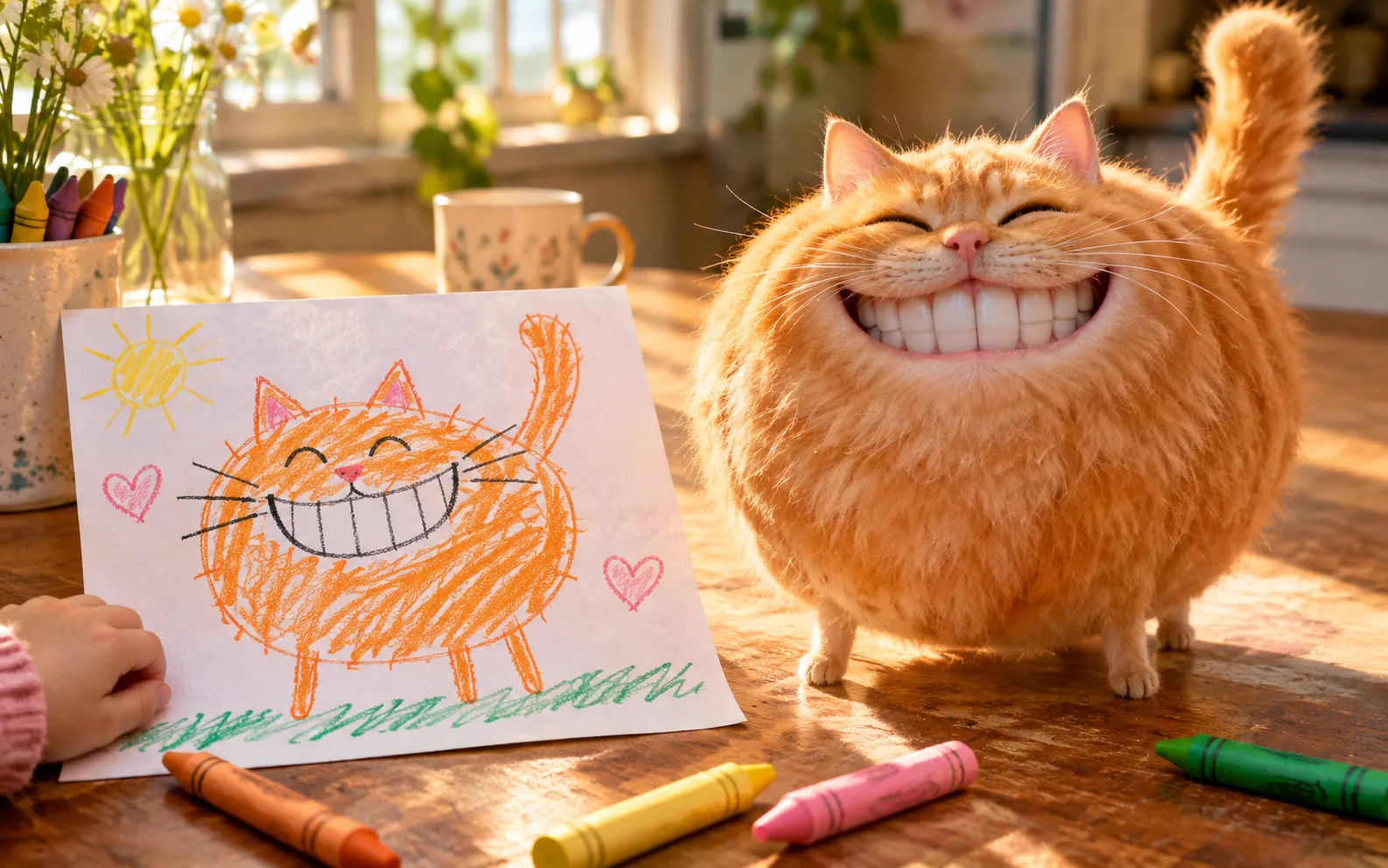
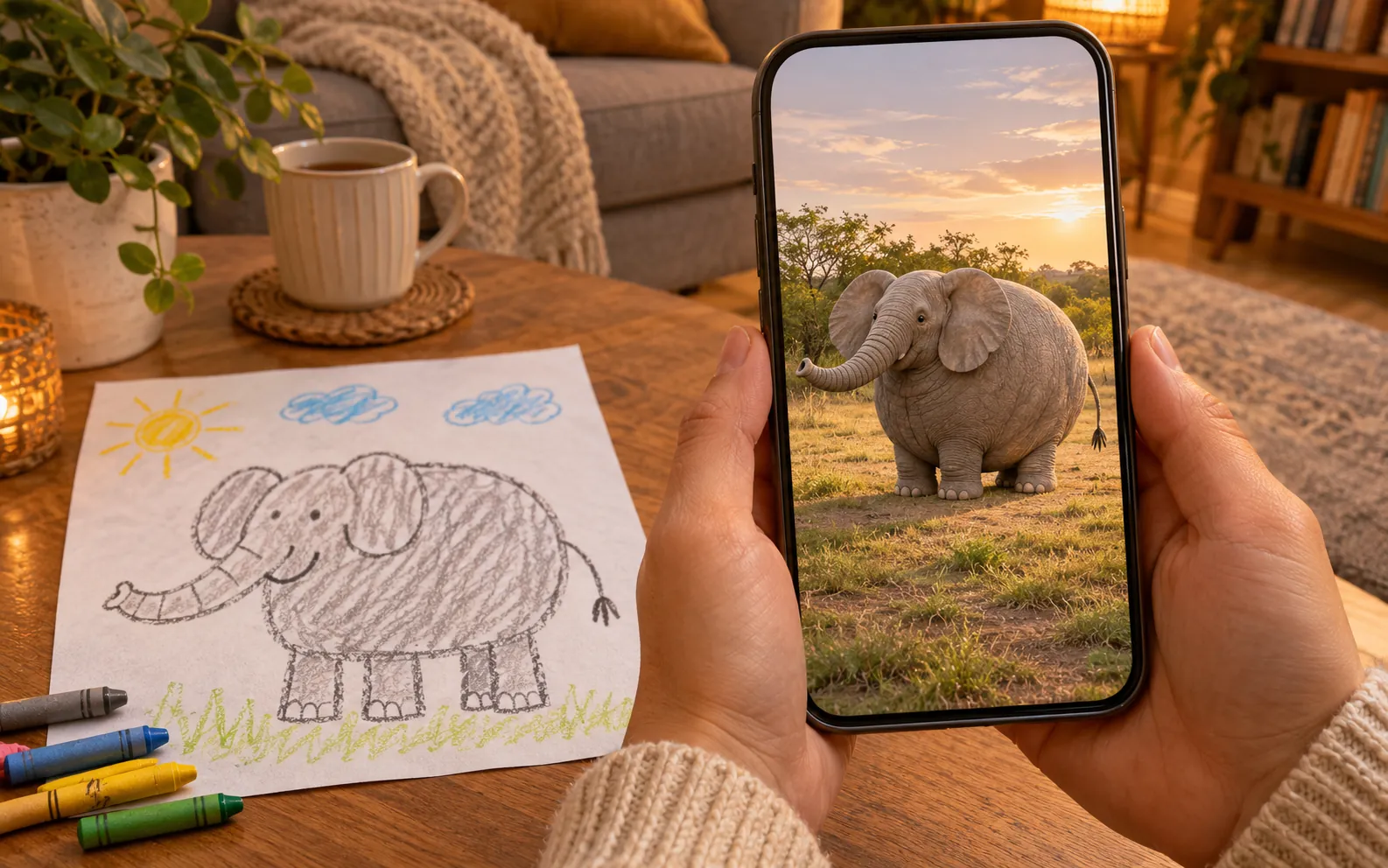
Kids drawing to life AI turns a photo of a child’s drawing into a short, realistic video: the crayon animal, car or creature leaves the paper as the real thing.
Unlike apps that only wiggle the flat sketch, this keeps the drawing’s colors and odd proportions while giving it real fur, metal or scales — the “if kids’ drawings were real” look.
Five lines make most kids drawing to life AI prompts work.
01
Start on the Paper
Write “the child’s drawing in the image comes to life”. Kids drawing to life AI uses the upload as the first frame, so the video opens on the real artwork.
02
Name What Was Drawn
Say “a dinosaur” or “a red car”. One plain noun stops the model guessing what the scribble is.
03
Keep the Funny Shapes
Add “keeps the exact colors, shapes and proportions”. Six legs and a giant head are the whole joke; without this line kids drawing to life AI tends to fix them.
04
Give It One Action
Stomps, swims, wags, drives away — one verb per clip, or the actions blur.
05
Choose the Real Place
A backyard, a bedroom rug, an aquarium. In kids drawing to life AI clips, a real setting is what sells the drawing as real.
Features
Why Kids Drawing to Life AI Works
Kids drawing to life AI only works if the real version still looks like what your child drew.
The Drawing’s Odd Proportions Survive
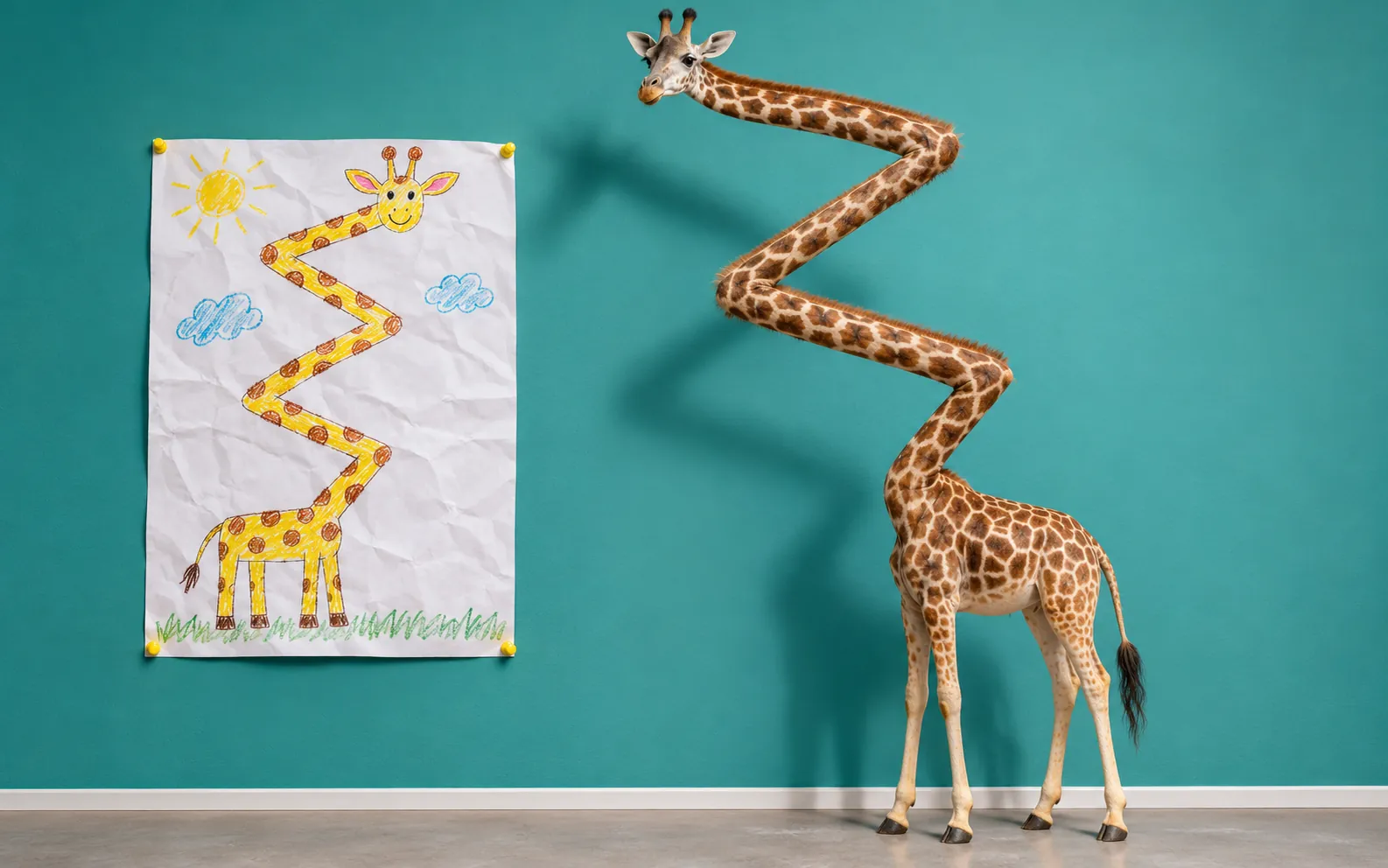
Most drawing animators keep the cartoon flat or “correct” it into a generic animal. Kids drawing to life AI locks the child’s shapes and colors, so a zigzag-necked giraffe stays zigzagged — now with real fur. That is the part kids laugh at.
Watch It Leave the Page
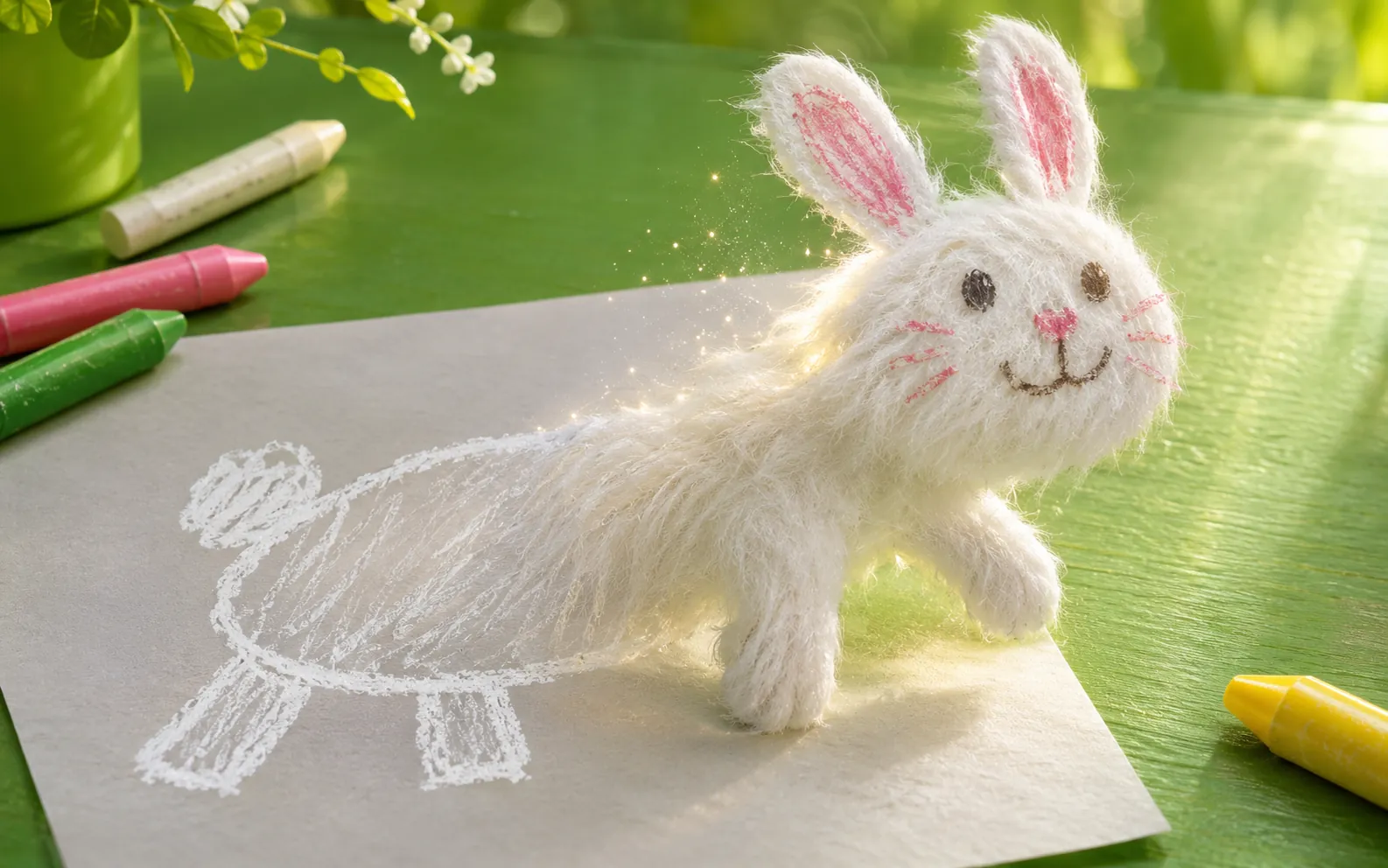
The photo of the drawing is the first frame, so the video starts on paper and the crayon lines turn into fur, scales or paint. That before-and-after in one take is why kids drawing to life AI clips get shared.
Vertical Clip With Sound, Ready to Send
Pick 9:16 for TikTok, Reels and the family group chat, or 16:9 for a slideshow of kids drawing to life AI clips. Seedance 2.5 adds matching sound — paws, an engine, a roar — in the same pass.
Settings
Kids Drawing to Life AI Settings
Real limits of this kids drawing to life AI generator, with the best setting for each.
Inputs and limits for a kids drawing to life AI video on Vogoo AI
Setting
What you get
Tip
Drawing
One photo or scan · JPG, PNG, WebP · up to 10 MB
Flat, well lit, no glare, paper fills the frame
Model
Seedance 2.5 by default; Seedance 2.0 Mini, Kling 3.0 and Veo 3.1 in the same menu
Seedance 2.0 Mini for cheap test runs
Length
4–15 seconds on Seedance
5–8 seconds fits one action
Aspect ratio
9:16, 16:9, 1:1, 4:3, 3:4, 21:9
9:16 for phones, 4:3 for most paper
Resolution
480p, 720p, 1080p (Mini caps at 720p)
Draft at 480p, keep at 1080p
Sound
Native sound effects with Seedance 2.5
Name the sound: purr, engine, splash
The Generate button shows the exact credit cost before anything renders.
Use Cases
Who Brings Kids’ Drawings to Life
Six people who bring kids drawings to life, and why.
The Fridge Gallery, Animated
The fridge is full. With kids drawing to life AI, parents keep the best drawings as a clip the child can replay.
A Birthday Surprise
Their favorite drawing turns real on their birthday. Grandparents play the kids drawing to life AI clip at the party and in the group chat.
Art Class Show and Tell
Kids draw more when it might move. Teachers run a class drawing through kids drawing to life AI for the end-of-term show.
If Kids’ Drawings Were Real
Everyone remembers drawing like that, so the format travels. Family creators post one kids drawing to life AI video a week in 9:16.
Bedtime Story Starter
A drawn monster is less scary as a fuzzy real thing on the rug. A kids drawing to life AI clip makes a good bedtime story opener.
A Keepsake for Later
Drawings fade and get lost. Families save the paper and its kids drawing to life AI video side by side as a memory.
Kids Drawing to Life AI in Three Steps
Three steps to bring kids drawings to life: photograph, describe, generate.
Lay the paper flat in daylight and shoot straight down. Upload it to kids drawing to life AI as the image; no photo of your child is needed.
Step 2
Pick an Idea or Describe It
Tap an idea card or edit the prompt: name what was drawn, one action and a real place. Choose 9:16 and about 5–8 seconds.
Step 3
Generate and Share
Check the credit cost on the button, render and download the MP4. If the shape drifts, rerun or add “keeps the exact proportions”.
FAQ
Kids Drawing to Life AI FAQ
Kids drawing to life AI drawings, prompts, sound, formats and cost.
What Is Kids Drawing to Life AI?
It is an AI video tool that takes a photo of a child’s drawing and turns it into a short, realistic clip in which the drawn animal, vehicle or creature becomes real and moves, while keeping the drawing’s colors and shapes.
How Do I Turn My Kid’s Drawing Into Real Life With AI?
Photograph the drawing flat, upload it to the kids drawing to life AI generator above, tap an idea or describe what was drawn and how it should move, choose a length and aspect ratio, then generate.
What Are the “If Kids’ Drawings Were Real” Videos?
A video format that shows a child’s drawing next to a realistic version with the same odd proportions. Kids drawing to life AI makes that kind of clip from your own child’s drawing.
Will It Keep My Child’s Drawing Style?
Mostly, if the prompt asks for it. Keep “keeps the exact colors, shapes and funny proportions” in the prompt. Very abstract scribbles may need a plain noun such as “a cat” so the model knows what it is.
Can It Turn a Drawing Into a Real Car or Truck?
Yes. Load the Dream Race Car idea or write “it rolls off the paper as a real car”. Vehicles work well in kids drawing to life AI because the shapes are bold and simple.
Do I Need to Upload a Photo of My Child?
No. Kids drawing to life AI only needs the drawing. Leave hands and faces out of the shot so the model focuses on the art.
Is Kids Drawing to Life AI Free?
Kids drawing to life AI videos cost credits. One-time Mini Packs start at $19.99 for 901 credits that do not expire and need no subscription, and Seedance 2.0 Mini is the cheapest model for test runs.
Does the Video Have Sound?
With Seedance 2.5, yes: a kids drawing to life AI video gets sound effects that match the action, such as purring, an engine or splashing. You can add music in TikTok or CapCut afterwards.
How Long Is the Video and Which Formats Can I Pick?
A kids drawing to life AI video runs 4 to 15 seconds, at 480p, 720p or 1080p, in 9:16, 16:9, 1:1, 4:3, 3:4 or 21:9. You download an MP4.
Can I Use Kling for a Kids Drawing to Life AI Video?
Yes. Switch the model menu to Kling 3.0 Pro, Standard or Turbo (3–15 seconds, up to 1080p) or Veo 3.1 and keep the same prompt. Seedance 2.5 is the default because it adds matching sound.