Describe the video content, such as scene, action, style, etc.
0 / 5000
5s
1
720p
16:9
Generate Audio
Police Chase AI Prompt Starters
What Is Police Chase AI?
Police chase AI turns a short prompt or one photo into a pursuit clip: light bars, a fleeing vehicle and sirens, filmed like real dashcam, bodycam or news-helicopter footage.
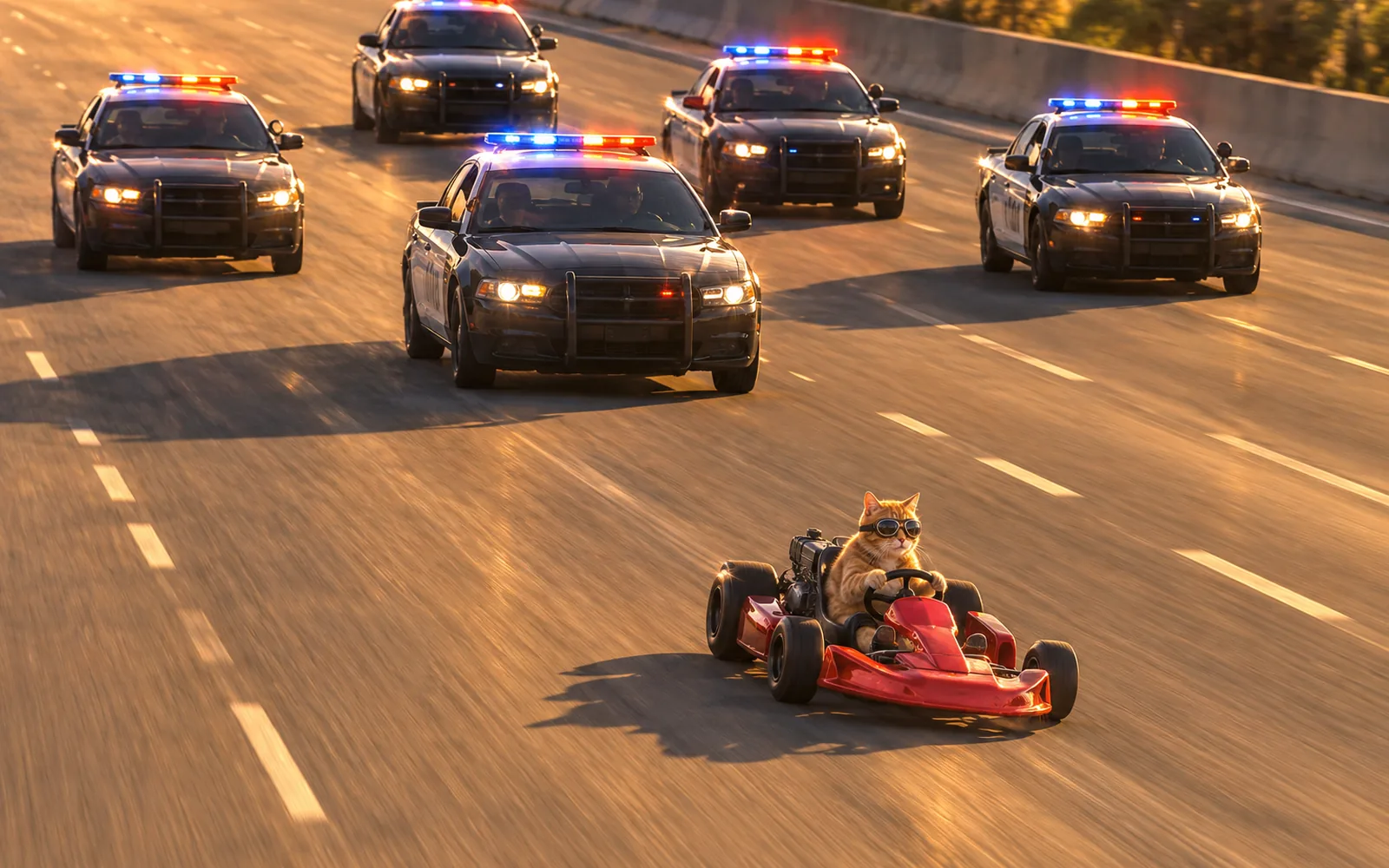
The joke is an unlikely driver, like a cat in a go-kart. Our police chase AI starters name the camera and grain, so clips read as found footage, not a movie trailer.
Three things decide whether police chase AI footage feels real: the camera, the subject and the format.
Choose the Camera: Heli Cam, Dashcam, Bodycam or Street Level
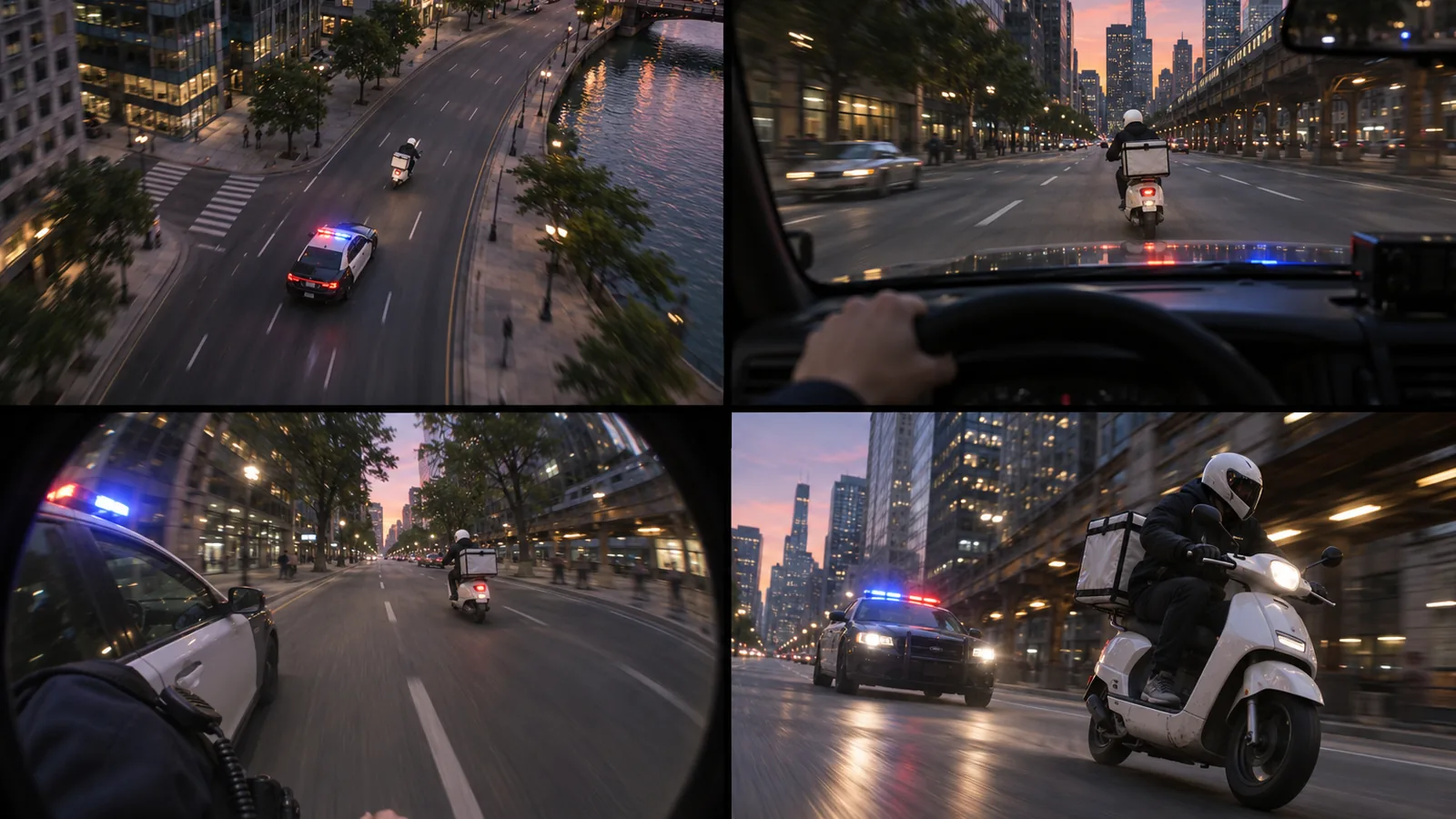
One pursuit looks completely different from a news helicopter, a cruiser windshield or an officer’s chest. Each police chase AI starter locks one camera, lens and grain, so the model stops drifting into a glossy trailer look.
Put Your Own Character in the Chase
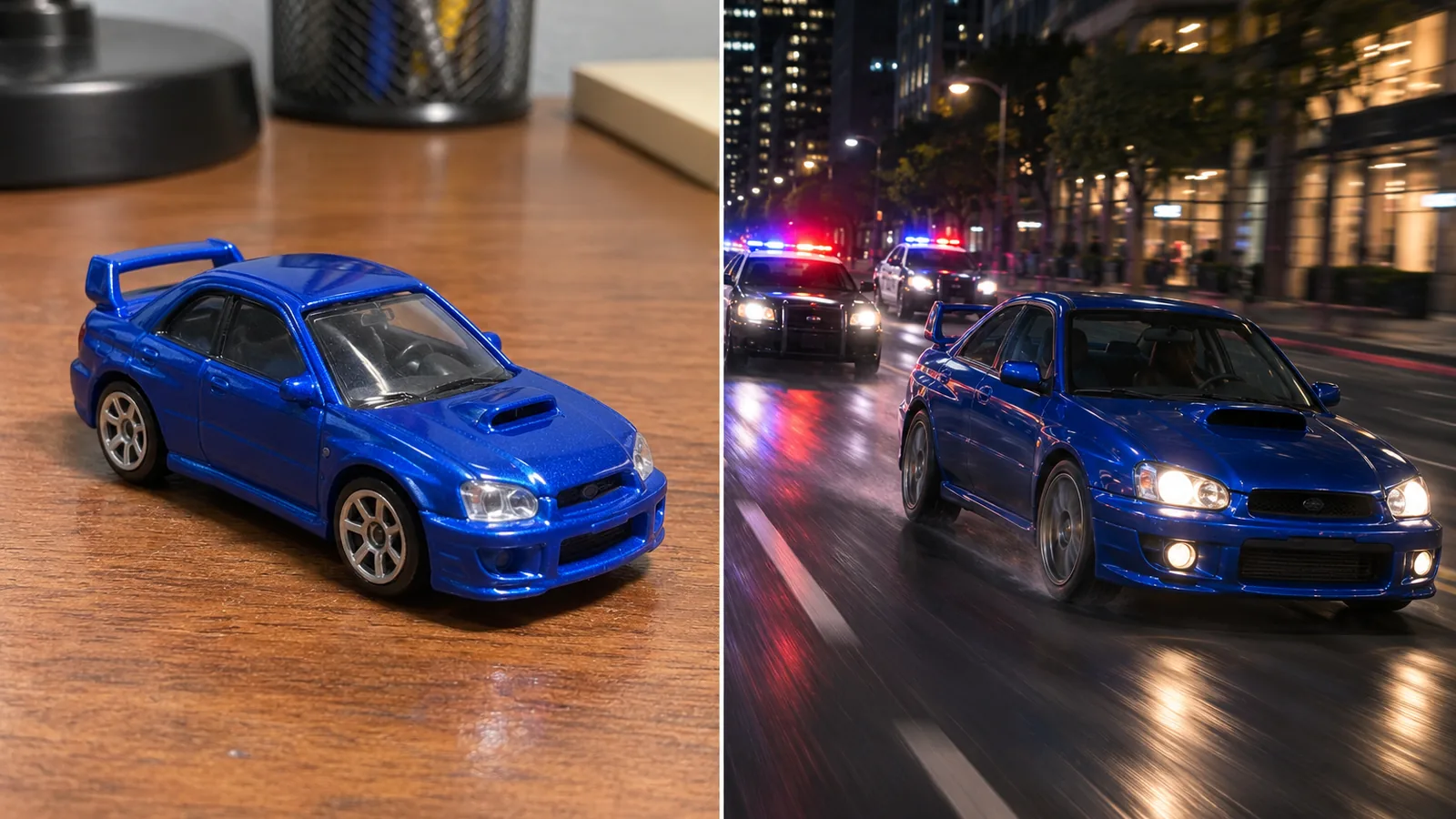
Switch to Image to Video and upload one photo — a toy car, a pet, an original character — as the first frame. Police chase AI keeps that subject and builds the pursuit around it. Only upload people who agreed to appear.
Vertical 9:16 Clips With Sound for Shorts and Reels
Pick 9:16 for TikTok, Shorts and Reels or 16:9 for YouTube. Many models generate native audio, so your AI police chase video arrives with sirens, engines and radio chatter instead of silence.
Make an AI Police Running Video From Your Photo
The trend where a friend suddenly sprints from the cops: one photo in, a chased-by-police clip out, no template app needed.
1
Upload One Clear Photo
Switch the generator to Image to Video and add a well-lit, full-body or waist-up photo. The person in it becomes the runner.
2
Paste the Running Prompt
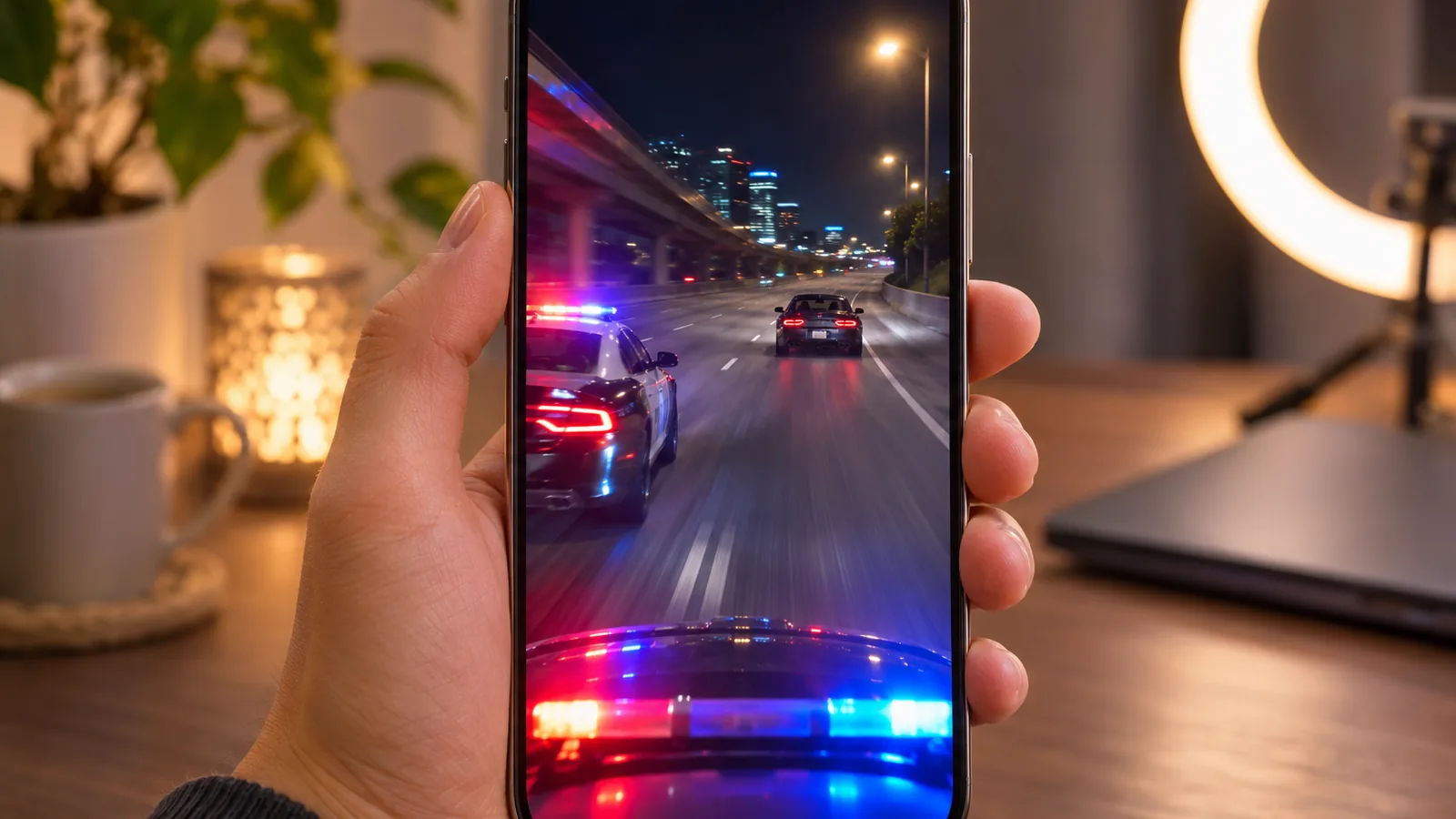
Use the prompt on the right. It sets a phone-camera look, officers a few steps behind and a panicked glance back.
3
Pick 9:16 and Turn On Audio
Vertical fits TikTok and Reels; sound adds the siren and footsteps. Rerun with a new street or outfit for a series.
AI police running video prompt
Shaky handheld smartphone video on a busy city sidewalk in daylight: the person from the photo sprints toward the camera in a comic panic, glancing back over one shoulder, two police officers running after them a few meters behind, a parked police car with flashing red and blue lights, vertical phone footage, slight motion blur, exaggerated cartoonish running, siren and pounding footsteps.
Only upload photos of people who agreed to it, and label the clip as AI.
Police Chase AI Camera Styles
Pick one camera per clip and name it in the first words of your police chase AI prompt.
01
Helicopter News Cam
Write “aerial helicopter news-camera shot”, add telephoto compression and a slow zoom. Best for wide freeway pursuits.
02
Police Dashcam
Write “police dashcam footage”, then wide-angle distortion, windshield reflections, compression and auto-exposure flicker. Keep the fleeing car ahead of the hood.
03
Officer Bodycam
Write “police bodycam footage”, chest-mounted and tilted slightly down, with a fisheye lens, walking bounce and overexposure. Works for traffic-stop gags.
04
Street-Level Tracking Shot
Write “low tracking shot” or “drone shot” for a cleaner, cinematic AI police chase when location matters more than found footage.
Police Chase AI Credit Costs and Rights
What one police chase AI clip costs, and what you can do with it.
Clip Settings
Without a Plan
With a Plan
Veo 3.1 Fast · 8 s · 720p
120
104
Seedance 2.0 Mini · 5 s · 720p · audio
180
72
Kling 3.0 Standard · 5 s · 1080p · audio
225
225
Seedance 2.5 · 10 s · 720p · audio
1,300
1,131
Credits per clip, from the same pricing the Generate button uses (checked 2026-11-04). Without a paid plan every AI police chase video costs at least 120 credits; members get model discounts.
Commercial Use and Watermark
Paid plans and credit packs include commercial use, no watermark and private generation. Free-plan clips are public.
You may use outputs for personal or commercial purposes according to your plan, and you are responsible for prompts and uploads not infringing anyone’s rights.
Photos you upload are used to generate your AI police chase video and keep your history. We do not sell personal information, and you can request deletion.
Creators who need an AI police chase shot without permits or stunt drivers.
Short-Form Meme Creators
A cat outrunning five cruisers only works if it looks like real footage. Run one of the police chase AI starters in 9:16, swap the driver and post the same day.
YouTube Storytellers
A getaway story needs a cutaway you could never film. Render a 16:9 heli cam police chase AI shot and cut it under the voice-over.
Indie Filmmakers
A pursuit sequence is hard to pitch from a script alone. Previsualize it from several cameras with police chase AI before booking stunt drivers.
Music Video Directors
A fast track needs sirens and neon on a one-location budget. Generate dashcam and drone shots with police chase AI and intercut them with the performance.
Gaming and Streaming Channels
A stream intro needs a loud, fast opening shot. Create a 3D cartoon AI police chase with your original mascot driving.
Brand and Social Teams
A playful product post needs motion, not a still. Upload the product photo and let police chase AI turn it into motion for the campaign draft.
How to Make a Police Chase AI Video
Three steps from idea to a downloadable police chase AI clip.
01
1
Step 01
Pick a Starter or Upload a Photo
Click a police chase AI prompt starter, or switch to Image to Video and upload the pet, car or character to chase.
02
2
Step 02
Set the Camera, Ratio and Model
Name one camera, choose 9:16 or 16:9 and a model. Turn on Generate Audio for sirens.
03
3
Step 03
Generate and Download
Press Generate and download the police chase AI video as an MP4. Not right? Change one detail and rerun.
Police Chase AI Specs
Options vary by the model you pick.
Spec
Value
Details
Input
Text prompt or one photo
Text to Video or Image to Video tab
Camera styles
Heli cam, dashcam, bodycam, drone
Set by the words in your prompt
Models
Veo 3.1, Kling 3.0, Seedance 2.5 and more
Switch models in the generator
Clip length
Mostly 4–15 seconds
Up to about 20 seconds on some models
Resolution
Up to 1080p on most models
Varies by model
Aspect ratio
9:16, 16:9, 1:1
Depends on the model
Sound
Native audio on many models
Sirens, engines and radio chatter
Cost
Credits per clip
Shown on the Generate button
Police Chase AI FAQ
Straight answers on cost, models, realism and safe use of police chase AI videos.
What is police chase AI?
Police chase AI is an AI police video generator that creates pursuit clips — cruisers, flashing lights, a fleeing vehicle and sirens — from a prompt or one photo. The popular style imitates real dashcam, bodycam or news-helicopter footage with an unexpected driver.
Can I make a police chase AI video for free?
Not entirely. New accounts get 20 free credits that expire after 30 days, but a video on an unpaid account costs more than that, so rendering police chase AI clips needs a plan or a credit pack. The exact cost appears on the Generate button.
Which model is best for police chase AI videos?
Many creators start with Veo 3.1: it renders native siren audio in 16:9 or 9:16 clips of 4–8 seconds. Kling 3.0 suits fast action and Seedance 2.5 adds sound up to 15 seconds. All three share one generator, so you can compare a single AI police chase prompt across them.
What can I use for police chase videos now that Sora is gone?
Veo 3.1, Kling 3.0 and Seedance 2.5 are the usual replacements, and all three run in the police chase AI generator on this page, so one AI police chase prompt can test each without new accounts.
How do I make it look like real bodycam or dashcam footage?
Name the camera first (“police bodycam footage”), then add the flaws: fisheye or wide-angle lens, handheld shake, glare, grain, low light. Keep one action per clip and skip “cinematic” or “epic”; that is how an AI bodycam video stops looking polished.
Can I put my own pet, car or character in the chase?
Yes. Switch to Image to Video and upload one photo as the first frame; the police chase AI clip keeps that subject. Only upload real people who agreed to appear in the video.
How do I make an AI police running video of myself?
Upload one clear photo of yourself in Image to Video, paste the running prompt from the section above, choose 9:16 and generate. The AI police running video shows you sprinting from officers like phone footage; change the street or the outfit and run it again.
Do I need a template app for the running-from-police trend?
No. Template apps lock the scene; here you write it. The same photo can run down a beach, a mall or a snowy road, with a dashcam or bodycam angle instead of a phone.
Can I use famous cartoon or game characters?
Use original characters. Trademarked characters belong to their owners and are often refused by video models; an original mascot, an animal or your own toy works just as well for an AI police chase meme.
Is it okay to post police chase AI clips online?
Yes, as long as viewers can tell it is AI. Label the clip as AI-generated, keep it clearly comedic or fictional, and never present it as real news footage or use a real person’s face without consent.
Can I use police chase AI videos commercially?
Commercial use, no watermark and private generation come with paid plans and credit packs. AI police chase videos made on the free plan are public.