Bad Times AI Trend: Make Your Pet Argue With the Camera

How the Bad Times AI trend works, why most one-click versions look off, and how to make your own from one photo of your dog, cat or baby with image to video or motion control.
In this article
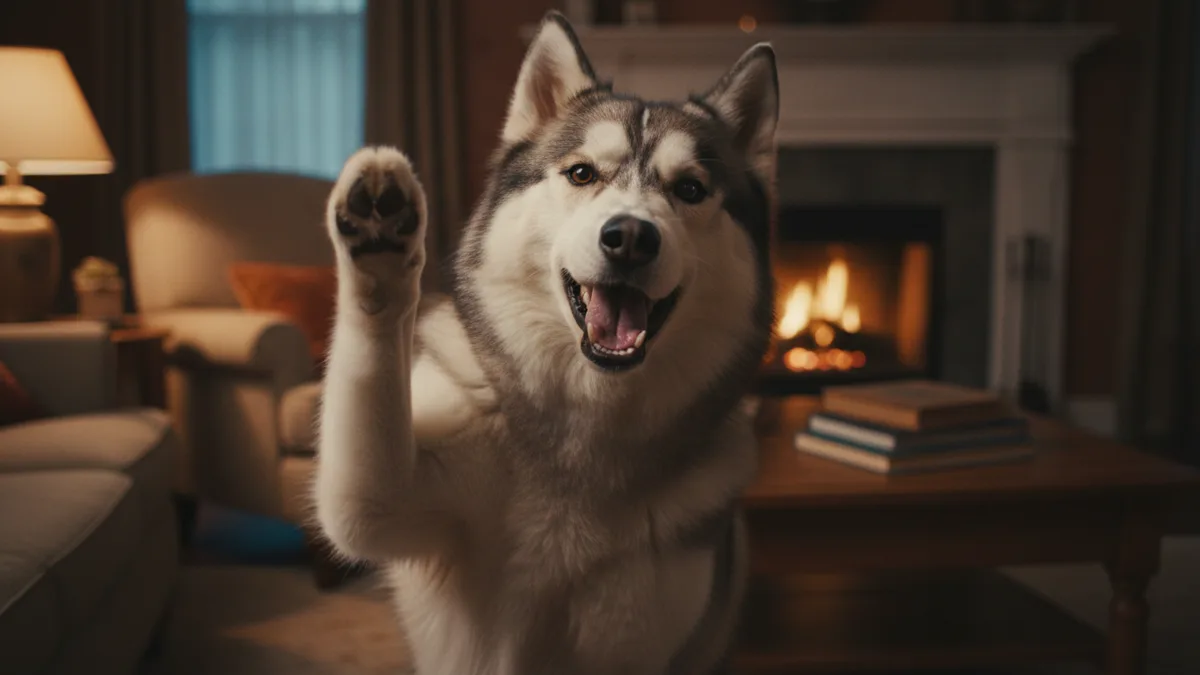
A husky jabs a paw at the lens, throws its head back, holds up a "wait, hold on" gesture and storms toward the camera — all in time with a deep house drop. That is the Bad Times AI trend, and the joke only works when the animal looks like it is genuinely losing an argument with whoever is filming. Most attempts fail on exactly that point: the pet grows human fingers, its face melts halfway through, or it just bobs its head politely.
This guide covers what the trend is, the two Vogoo workflows that produce a believable "argument", the prompts we use, and how to add the sound without getting muted. Song and chart facts come from the Official Charts Company and Songfacts; tool details are from Vogoo's own product pages as of 2026-11-16. Vogoo is not affiliated with the artist, her label or TikTok.
Before you start
- Quick answer: Upload one clear pet photo to image to video, prompt a five-second "argument" with paws, not hands, and add the Bad Times sound inside TikTok when you post.
- Account: generating on Vogoo needs a free account, and downloads from signed-in accounts carry no watermark.
- Cost: new accounts get 20 free credits, enough for one image but not a video. Without a paid plan a video costs at least 120 credits; the Generate button shows the exact price before you start.
- If it fails: credits for a failed generation come back automatically, except for prompts blocked by content safety checks and rare jobs that time out after the model has started.
- Your photos: Vogoo stores the photo you upload, your prompt and the result to run the job and keep your history, and you can ask for a copy or deletion (privacy policy).
What is the Bad Times AI trend?
The trend runs on "Bad Times" by Imael Angel, a deep house single released on March 30, 2026. Songfacts describes Imael Angel as the stage name of Bernadett Gángó, a Hungarian songwriter who uses AI tools to develop her lyrics into finished songs. The track sat quietly for months, then took off on social video in September: the Official Charts Company lists it entering the UK Singles Downloads chart on September 10, 2026 and later peaking at No. 2 there, with a No. 67 peak on the main Official Singles Chart.
The original clips are people lip-syncing while acting out a dramatic argument with the camera — pointing, grabbing their head, raising a hand to stop the other person, lunging forward. The AI version swaps the person for a pet or a baby, made from a single still photo. Third-party trend trackers rated it at or near its peak in early November, so it is still a live format, not a revival.
Why most Bad Times AI videos look wrong
Searching "bad times ai video generator" turns up a wall of one-click template sites. They are fast, but they share three failure points:
- Anatomy. A template built for a human body forces human gestures onto a dog. Paws turn into hands, or the front legs bend the wrong way.
- Identity drift. Big, fast motion over five-plus seconds is where models lose the face. Your cat's markings change, or the dog becomes a different breed by the last beat.
- The audio. Many generators bake a copy of the song into the export. That copy is not licensed for you to repost, and it is the fastest way to get a clip muted.
The fix for all three is the same idea: describe gestures the animal can actually make, keep the clip short, and leave the music to the platform.
How to make a Bad Times AI video on Vogoo
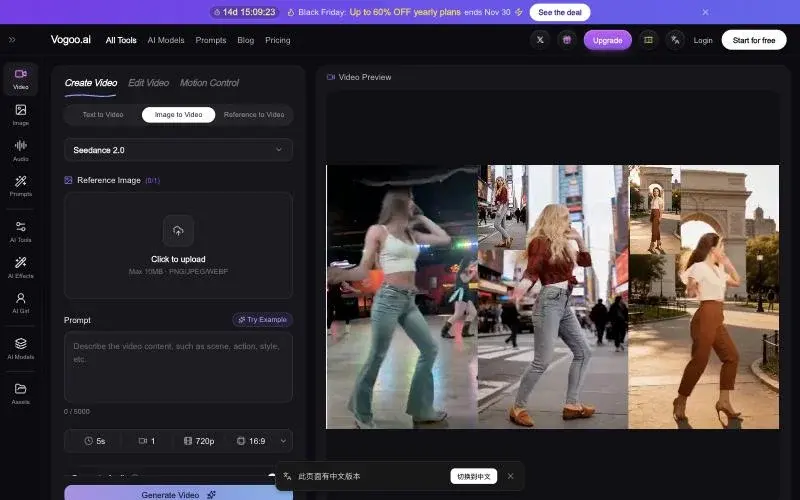
There are two routes. Use image to video if you want speed; use motion control if you want the argument to hit specific beats.
Step 1: Pick the right photo
Use one sharp photo where the whole head and front legs (or a baby's arms) are visible, the face points roughly at the camera, and nothing covers the eyes or mouth. Indoor shots with plain backgrounds animate more cleanly than busy parks. One subject only — two pets in one frame tend to swap features.
Step 2 (fast route): Animate it with image to video
Open image to video, upload the photo and describe the argument in pet terms. Keep it to about five seconds and one continuous shot.
The same husky from the photo, facing the camera in a living room. It barks at the lens, raises one front paw and taps the air twice like it is making a point, shakes its head in disbelief, then steps forward toward the camera with an offended expression. Natural dog anatomy, four legs, paws not hands. Handheld phone camera, slight shake, single continuous shot, no text.
Swap the breed and room for your own. The phrase "paws not hands" matters more than it looks: without it, several models drift toward human gestures.
Step 3 (precise route): Act it out yourself with motion control
If you want the head-grab to land exactly on the drop, record yourself doing the argument once — five seconds, phone held still, upper body in frame. Then open motion control AI, add your pet photo as the character and your clip as the motion reference. The model maps your timing onto the animal, which gets you the pacing of the human originals without copying anyone else's footage.
Keep your moves simple: point, head shake, palm up, step forward. Wild arm swings do not translate to a dog's body and are where identity breaks.
Make Your Bad Times Clip
One photo • Short clips • No song baked inStep 4: Add the sound, export and post
Export the clip silent. On TikTok, attach "Bad Times" from the in-app sound library when you post — that keeps the audio inside the platform's licensing and links your video to the trend page. For Reels or Shorts, either use that platform's own licensed audio or make an original backing track in text to music. Finally, switch on TikTok's AI-generated content label; realistic AI video is the kind TikTok asks creators to label.
Variations people are posting
- Bad Times AI cat. Cats sell the "offended" look with less motion. Ask for a slow blink, ears flattening and a single swat at the lens rather than a full lunge.
- Baby edition. Use only photos of your own child, keep it gentle (finger wag, frown, turning away) and avoid anything that looks like distress.
- Bad Times AI dance. Some creators skip the argument and go for a head-bob dance on the drop. Motion control with your own dance clip works best here.
- Costume versions. Generate the pet in a costume first with image to image, then animate that still.
Keep the argument short
Five seconds is the sweet spot. If you need a longer video, generate two or three short clips from the same photo and cut them together in your editor — it holds the face far better than one long take.
Quick fixes
| Problem | Likely cause | Fix |
|---|---|---|
| Paws turn into hands | Human gestures in the prompt | Describe pet actions and add "natural anatomy, paws not hands" |
| Face or markings change | Clip too long or motion too big | Cut to about five seconds, reduce the number of actions |
| Pet barely moves | Prompt too vague | Name two or three concrete actions in order |
| Two pets merge | Multiple subjects in the photo | Crop to one animal per clip |
| Clip gets muted | Song baked into the export | Export silent, add the sound inside the app |
Start with one photo
The Bad Times AI trend rewards a pet with attitude, not a perfect render. Pick a clear photo, describe moves the animal can make, keep it short and add the sound where you post. If you want exact timing, act it out yourself and let motion control do the rest.
Try Motion Control With Your Own Clip
Your moves • Your pet • Your timingFAQ
What song is used in the Bad Times AI trend?
"Bad Times" by Imael Angel, a deep house single released on March 30, 2026. It charted in the UK in autumn 2026, peaking at No. 2 on the Official Singles Downloads chart.
Is the Bad Times song made with AI?
According to Songfacts, Imael Angel writes the lyrics and uses AI tools to develop them into full songs. The trend itself is separate: the AI part most people mean is the pet or baby video.
What does the Bad Times trend mean?
It is a comedy format: the subject acts out a dramatic argument with whoever is holding the camera, in time with the song. The AI version gives that role to a pet or a baby.
Where can I find the Bad Times trend original video?
The format grew out of creators lip-syncing the song on TikTok rather than one single source clip. Search the sound page in the TikTok app to see the originals; do not download and repost other creators' videos.
Can I make a Bad Times AI video from one photo?
Yes. Upload one clear photo to image to video and describe the argument in a short prompt, or pair the photo with your own recorded gestures in motion control.
What app can make my dog look like it is arguing with the camera?
Any image-to-video tool that animates a single photo can do it. On Vogoo, use image to video for a quick clip from one photo, or motion control to copy gestures you record yourself. Talking-pet apps that lip-sync a voice give a different effect: a speaking mouth rather than an argument acted out with the body.
How much does it cost to make this on Vogoo?
New accounts get 20 free credits, which cover one image but not a video. Without a paid plan a video costs at least 120 credits, and the exact price for your model, length and resolution is shown on the Generate button before you start. Failed generations refund automatically, except content-policy blocks.
Sources
- Official Charts Company — Bad Times by Imael Angel: chart entry dates, the No. 67 singles peak and the No. 2 downloads peak.
- Songfacts — Bad Times by Imael Angel: release date and background on the artist and her AI-assisted songwriting.
- TikTok Support — AI-generated content: when and how to label AI content.
Chart data reflects the Official Charts Company page as of 2026-11-16. Trend status comes from third-party trackers and changes daily. Tool behaviour is from Vogoo's own product pages on the same date.