
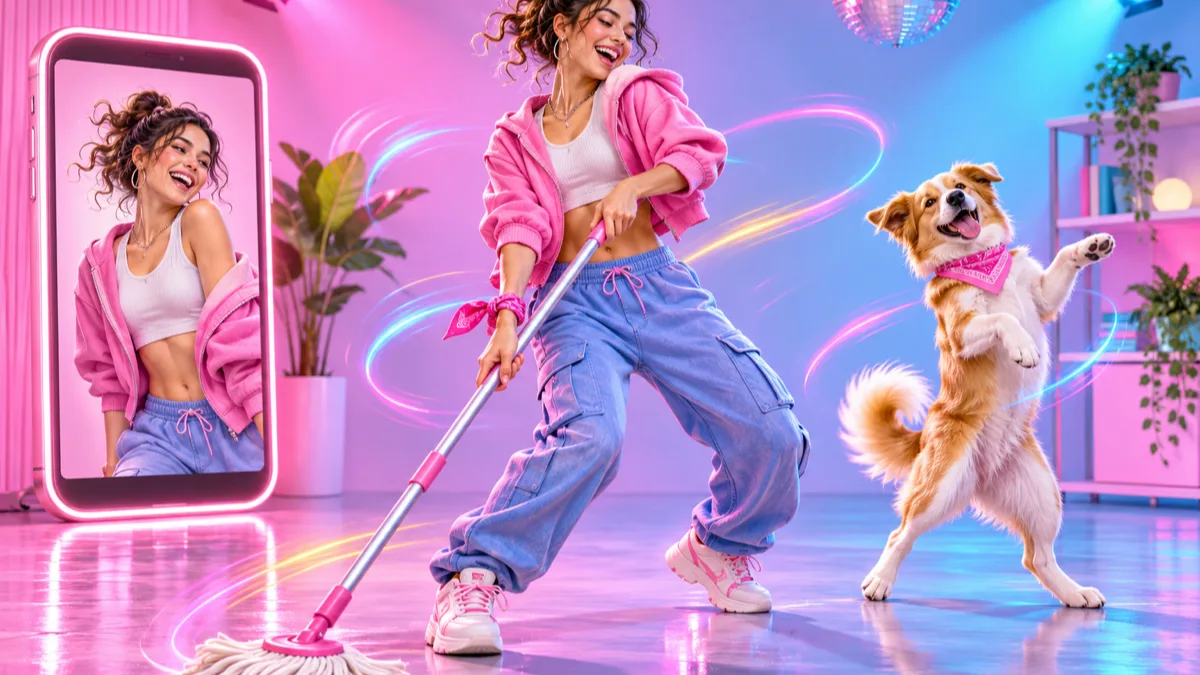
Stateside Dance AI: Make the Trend From One Photo
Make a Stateside dance video, or the mop dance, from a single photo. Step-by-step motion control workflow, copy-paste prompts and the framing rules that stop the AI from warping your character.
You have watched a hundred people do the Stateside dance on your feed, and you would like to post one too. But you do not want to film yourself, or the "person" you want dancing is your dog, your mascot or a drawing. That is where most people try an AI dance app, type "make this photo dance to Stateside", and get back a clip with random arm-waving, a melting face and moves that look nothing like the trend.
The problem is the method. A text prompt cannot describe a dance. It can only make the model guess. The workflow below uses motion control instead. You give the AI one photo of your character plus a short clip of the real dance, and it copies the moves onto your character, frame by frame. The same method works for the older mop dance, the one people do with a real mop at the gas station or in the kitchen.
What this guide is based on: the input rules and settings come from Vogoo's Motion Control AI tool, which runs Kling 2.6 and Kling 3.0. The general method matches Kling's own Motion Control user guide. Background on the song and the meme comes from the sources at the end. Last checked on 2026-11-05.
What the Stateside dance and the mop dance are
Stateside is a PinkPantheress song. The remix with Zara Larsson topped the Billboard Global 200, and its reach grew after Olympic figure skater Alysa Liu skated to it in her gala performance at the 2026 Winter Olympics, according to Wikipedia's entry on the song. The "Stateside dance" is the short-form trend set to that track. Search for it and you get tutorials, slowed-down versions and TikTok compilations, which tells you most people are trying to learn or recreate the moves.
The mop dance is older. It comes from the 2019 song "The Mop" by Tisakorean, Kblast and Huncho Da Rockstar. In the dance you hold one hand over the other as if gripping a mop handle and sweep side to side. A late-2023 "mop the ocean" wave brought it back, and some people did it with an actual mop (Know Your Meme). The gas-station version, with a mop, a bucket and a forecourt, is the same dance moved to a place where it looks funnier.
Both are good candidates for AI for the same reason. The moves are short, repeated and mostly upper body, which is exactly what motion transfer handles best.
Why prompt-only AI dance apps get these wrong
Most "AI dance" generators are image-to-video with a text prompt. You upload a photo, type "dancing", and the model invents the motion. That is fine for a generic wiggle. It falls apart for a named trend, because:
- The model has never seen your trend. "Do the Stateside dance" means nothing to it, so it makes up generic moves.
- Timing drifts. A trend lives on hitting a move on the beat. Invented motion has no beat.
- Each run is different. Generate twice and you get two different dances, neither of them the one you wanted.
Motion control flips this around. You choose the moves by picking a reference clip, and the model only has to put your character into them. That is the main difference between this guide and the "top 10 AI dance apps" lists. Those lists compare apps. This guide fixes the method, because the method is why your result does not look like the trend.
| Prompt-only image to video | Motion control | |
|---|---|---|
| Where the moves come from | The model guesses from text | Your reference dance clip |
| Matches a specific trend | Rarely | Yes, it follows the clip |
| Same result twice | No | Close, the motion stays fixed |
| What you need | One photo + prompt | One photo + a 3–30 s dance clip |
| Best for | Mood clips, gentle movement | Named dances, choreography |
What you need before you start
Two files and a few minutes:
- A character photo. PNG or JPEG, up to 5 MB, at least 340 px. The head, shoulders and torso need to be clearly visible. A person, a pet standing upright, an illustration or a 3D mascot all work.
- A reference clip of the dance. MP4 or MOV, up to 100 MB, 3 to 30 seconds, with one dancer in frame. The easiest source is a clip you film yourself doing the moves badly in your living room. Motion control copies the motion, not your face, so how you look in the clip does not matter.
On reference clips: use footage you filmed or have permission to use. Do not download a creator's video and repost their performance as yours.
How to make a Stateside dance video with AI, step by step
- Film or trim the reference. Keep the take continuous, with no cuts, freeze frames or zooms, and keep the dancer framed from roughly the hips up. 8–12 seconds covers the hook of the trend.
- Match the framing of your photo. This matters more than anything else. If the clip is waist-up, use a waist-up photo. If you feed a chest-up selfie with a full-body clip, the model has to invent legs, and that is where the warping starts.
- Open Motion Control AI on Vogoo and upload the photo as the character and the clip as the motion reference.
- Pick a model and resolution. Kling 2.6 at 720p is the cheap test run. Kling 3.0 handles fast arms and hands crossing the body with less warping, so switch to it once the test looks right. Credits are billed per second and scale with resolution, so test at 720p first.
- Add a prompt only for the scene (optional, see the prompts below). Leave it empty and the model follows the clip exactly.
- Generate, then check three frames: the first, the middle and the fastest move. If the face holds at the fastest move, it holds everywhere.
- Add the sound in the app you post to. The output has no soundtrack, so pick the Stateside sound inside TikTok or Reels when you post. You get the official audio and the trend tag together.
That last step is easy to skip, but it is the part that counts on short-form apps. A clip attached to the trend's sound gets shown next to the trend.
How to make the mop dance video (including the gas station version)
The steps are the same. Three things change:
- Reference: film the mop motion with a real mop or a broom handle. The two-hand grip and side-to-side sweep track much better when the hands actually hold something.
- Photo: a character with both hands visible. If the character's hands are hidden in pockets or cropped out, the model has nothing to map the grip onto.
- Scene: let the prompt move the character to the gas station. You do not need to film at one.
If you want the full joke, a dog in a hi-vis vest mopping a forecourt, use the scene prompt below and keep the clip at 6–10 seconds. The mop dance is one repeated loop, so a short clip that loops cleanly looks better than a long one.
Copy-paste prompts for scene direction
The prompt in motion control does not change the moves. It steers the background, lighting and look. Use one at a time.
Stateside, clean pop-video look
Same character and outfit as the reference image. Bright pastel studio backdrop, soft pink and blue lighting, glossy pop music video look, sharp focus on the face, stable camera, no extra people, no text.Stateside, American road-trip feel
Same character as the reference image, dancing in front of a sunlit American diner at golden hour, warm film-like colors, light lens flare, handheld but steady framing, no text, no logos.Stateside, ice-rink tribute (no real people)
Same character as the reference image, on an indoor ice rink under arena spotlights, cool blue and white lighting, glitter in the air, cinematic, empty stands, no text, no logos.Mop dance at the gas station
Same character as the reference image, holding a mop, on a gas station forecourt at night, fluorescent canopy lights, wet reflective ground, convenience store glow in the background, funny deadpan mood, no text, no brand logos.Mop dance, kitchen chore edit
Same character as the reference image, holding a mop in a bright home kitchen, morning sunlight through the window, soapy floor reflections, cheerful sitcom look, no extra people, no text.Pet version (either dance)
Keep the pet's face, fur color and markings exactly as in the reference image. Same background as described: [scene]. Natural fur detail, stable camera, no extra animals, no text.Always leave the brand logos out of the prompt. AI-generated gas-station signage tends to come out as fake but recognizable brand marks, which is not something you want in a post.
Fixing the usual problems
| What you see | Usual cause | Fix |
|---|---|---|
| Face melts on fast moves | Clip is blurry or too fast | Re-film with more light, or switch to Kling 3.0 |
| Extra or missing arms | Photo and clip are framed differently | Crop both to the same framing (both waist-up) |
| Character copies the wrong person | Two people in the clip | Trim to a stretch with one dancer |
| Mop grip looks broken | Hands hidden in the photo | Use a photo with both hands visible |
| Motion stutters mid-clip | Cut or freeze frame in the reference | Use one continuous take |
| Background flickers | Prompt asks for too much | Shorten the prompt to one scene and one light |
Where else this works
Once the workflow clicks, it is the same for any trend dance: swap the reference clip, keep the photo. For a softer clip without a set routine, such as a slow turn, a wave or a smile, image to video with a text prompt is the better tool.
Ready to try it? Open Motion Control AI, upload one photo and a short dance clip, and run a 720p test. New accounts start with free credits, so the first test costs you nothing.
FAQ
Is there a Stateside dance AI filter I can use without filming anything?
Some apps offer preset dance templates. The catch is that the template only works if someone already picked that exact trend. With motion control you can do any dance, including Stateside, as long as you have a short reference clip. You can film it yourself in a minute.
Can I make my dog or cat do the mop dance?
Yes. Use a photo where the pet is upright or sitting with its front body visible, and expect looser results than with a person, because a pet's body does not map one-to-one onto a human dancer. Short clips and simple moves work best.
Do I need the Stateside song in my video?
The AI output is silent. Add the Stateside sound inside TikTok, Instagram Reels or YouTube Shorts when you post. That keeps the audio licensed and puts your clip under the trend's sound page.
How long can the dance video be?
The output follows your reference clip, anywhere from 3 to 30 seconds on Vogoo. For trends, 8–15 seconds is the sweet spot. It is long enough for the hook and short enough to loop.
Can I use someone else's TikTok as the reference?
Technically it works, but it is their performance. Use a clip you filmed, one you have permission to use, or one from a licensed motion library. Filming your own rough version is fast, and the AI does not care how good a dancer you are.
Sources
- Kling AI — Motion Control user guide: the official description of motion control (reference video plus character image), the model family Vogoo's Motion Control AI runs on.
- Wikipedia — Stateside (song): release details, chart history of the PinkPantheress and Zara Larsson remix, and the Alysa Liu gala performance.
- Know Your Meme — The Mop Dance / Mop the Ocean: origin of "The Mop" and how the dance came back on TikTok.
Input limits, presets and billing above describe Vogoo's Motion Control AI as checked on 2026-11-05. Model features change, so check the tool page for the current details.
Author

Categories
More Posts
Prompts for Gemini AI Halloween Photos: 12 Looks
Copy-paste prompts for Gemini AI Halloween photos: costume try-ons, pet costumes, couple looks and short video clips, with the keep/change/avoid structure that keeps your face intact.
AI Album Cover Generator: Cover Art That Doesn't Look Generic
Use an AI album cover generator: 5 rules to keep cover art from looking generic, Spotify size specs, and thumbnail readability checks. Free to try.
AI Picture Generator for T-Shirts: From Prompt to Print-Ready File
Use an AI picture generator for t-shirts the right way: print DPI, transparent PNGs, POD specs, prompt tips, and the copyright rules that keep your designs sellable.
Newsletter
Join the community
Subscribe to our newsletter for the latest news and updates